How to test an OTT app across every smart TV platform
A cross-platform testing strategy for OTT and streaming apps: how to cover Samsung, LG, Roku, Fire TV, Android TV, and Vizio without owning every device, and which bugs each layer catches.
You cannot own every TV. There are too many brands, too many model years, and too many firmware versions, and the matrix grows every fall when the new panels ship. So the goal is not full coverage. The goal is to catch the maximum number of real defects with the minimum amount of hardware.
This is the strategy teams use to test OTT and streaming apps across the whole smart-TV landscape.
Start by ranking platforms, not chasing them
Do not test everything equally. Test in the order your audience actually uses. For most US and EU streaming apps, the priority looks like this:
- Samsung Tizen and LG webOS, the two largest smart-TV platforms by install base.
- Roku and Amazon Fire TV, dominant in streaming-first households.
- Android TV / Google TV, broad but fragmented across many OEMs.
- Vizio SmartCast and Apple tvOS, important for specific US and Apple-leaning audiences.
Pull your own analytics if you have them. One platform is often half your traffic, and it deserves half your testing.
The one distinction that changes everything: web vs native
Smart-TV platforms split into two camps, and it dictates how you test.
- Web-based: Samsung Tizen, LG webOS, and Vizio SmartCast run web apps. One codebase, tested largely in a browser, packaged per store.
- Native: Roku uses BrightScript and SceneGraph, which is not the web at all. tvOS is native. Android TV is Android.
If you are shipping a single web app, Tizen and webOS are close cousins and share most of your test effort. Roku is a separate build with separate testing. Plan the matrix around that split instead of treating every platform as equal work.
The testing pyramid for TV
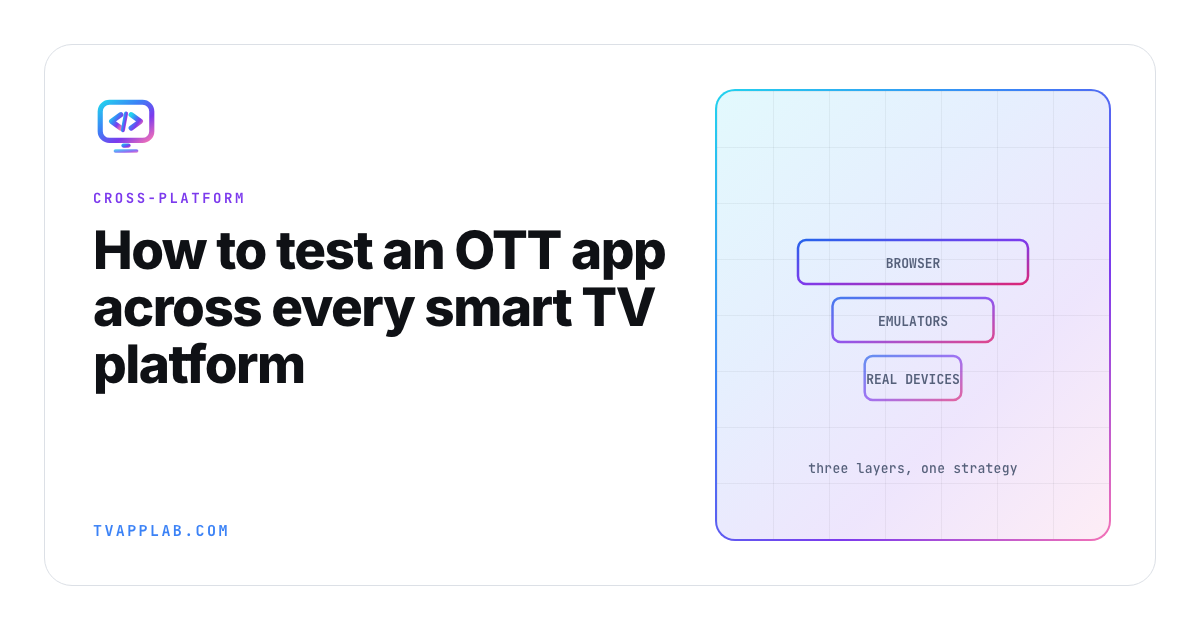
The same three-layer idea works across every platform. Push work down to the cheap layers.
Layer 1: browser and resolution testing
For every web platform, the first pass is a browser at TV resolutions: 1280x720 and 1920x1080, with overscan safe areas in mind. This catches layout breakage, unreadable 10-foot type, and focus states that vanish against your background. A resolution simulator makes this fast; the point is to fail cheaply before you involve any device.
Layer 2: official emulators
Every major platform ships an emulator, and they are free:
- Samsung: Tizen Studio TV Emulator and Simulator
- LG: webOS TV Simulator and Emulator
- Google: Android TV emulator in Android Studio
- Roku: no emulator, but cheap hardware (a $30 stick) stands in
- Apple: the tvOS simulator in Xcode
Emulators are where you nail remote-control navigation, the single biggest source of TV defects. D-pad focus order, back-button behavior, and the OK/Enter key are the things that fail, and they fail the same way whether the app is streaming video or anything else.
Layer 3: a small real-device fleet or a device farm
You still need real hardware for the things emulators cannot fake: memory ceilings, codec and DRM support, and firmware quirks. Two ways to get it:
- A rotating physical fleet. Buy a few strategic devices: one older low-RAM Samsung, one mid-tier LG, a Roku stick, a Fire TV stick. Cheap, old, and low-end devices expose more bugs than flagships.
- A cloud device farm. Services like Suitest, BrowserStack's TV coverage, and others let you rent real TVs remotely. Worth it when the matrix is wide and you cannot warehouse panels.
The bugs that only appear at the device layer
When teams say an app "passed testing" then broke in the living room, it is almost always one of these:
- Remote input. A cursor-driven design that never got tested with a D-pad.
- Memory. Works on the flagship, crashes on the three-year-old panel with a quarter of the RAM.
- Codecs and DRM. The stream plays on one firmware and throws on another.
- Certification behavior. Back-button and app-lifecycle rules that each store enforces differently.
Notice what is not on that list: exact screen size. Resolution is the easiest thing to test and rarely the thing that breaks. Input model and hardware limits are the real risk.
A workable coverage plan
If you want a concrete starting point:
- Browser-test every web build at 720p and 1080p.
- Run each platform's emulator and pass its remote-navigation and back-button checks.
- Keep four real devices on a shelf: an old Samsung, a mid LG, a Roku stick, a Fire TV stick.
- Rent a device farm for the long tail before a major release.
That covers the platforms that matter, the bugs that matter, and stops well short of a warehouse. Platform-specific deep dives live in the Samsung Tizen and LG webOS guides, and shipping is covered in the deployment workflow.
Frequently asked
How do I test an OTT app across every smart TV platform? In three layers. Browser testing for layout at 720p and 1080p, each platform's official emulator for remote navigation and lifecycle, and a small real-device fleet plus a rented device farm for the long tail.
Do I need to own every smart TV? No. Four devices covering an older Samsung, a mid-range LG, a Roku stick and a Fire TV stick catch most real defects. Rent the rest before a major release.
Which bugs only show up on real devices? Memory ceilings on low-end panels, codec and DRM failures on specific firmware, focus and input quirks, and the differences between model years on the same nominal platform.
Which TV platforms should I prioritize? Rank by your own reach rather than by platform popularity in general. Most teams find three or four platforms cover the overwhelming majority of their users, and the rest is long tail.
How much does TV testing infrastructure cost? An in-house lab runs roughly $26,700 in year one once labor is counted, against cloud device farms from free tiers up to about €1,673 a month. See the full cost model.
Keep going
- The true cost of an in-house TV device lab vs cloud device farms
- Best smart TV testing tools and device clouds (2026)
- CTV automation capability matrix for what you can automate per platform
Keep reading
CTV Video-Start Benchmarks: Targets and Test Method
Define tap-to-first-frame consistently, segment TV devices into cohorts and publish median/p95 video-start results without inventing cross-platform averages.
Android TV Emulator Setup and Troubleshooting
Set up an Android TV emulator in Android Studio, choose a compatible system image and diagnose launch or acceleration problems before testing on a real TV.