The TV app deployment workflow: packaging and certification for every store
How to deploy a TV app across Samsung, LG, Roku, Fire TV, Android TV, and tvOS: the packaging format for each store, how certification differs, and why apps get rejected.
Building the app is half the job. Getting it into six different stores, each with its own package format, its own submission portal, and its own certification rules, is the half that surprises people. A build that flies through one store gets rejected by the next for a reason you have never heard of.
Here is the deployment workflow, store by store, and the rejection reasons that actually bite.
Every store wants a different package
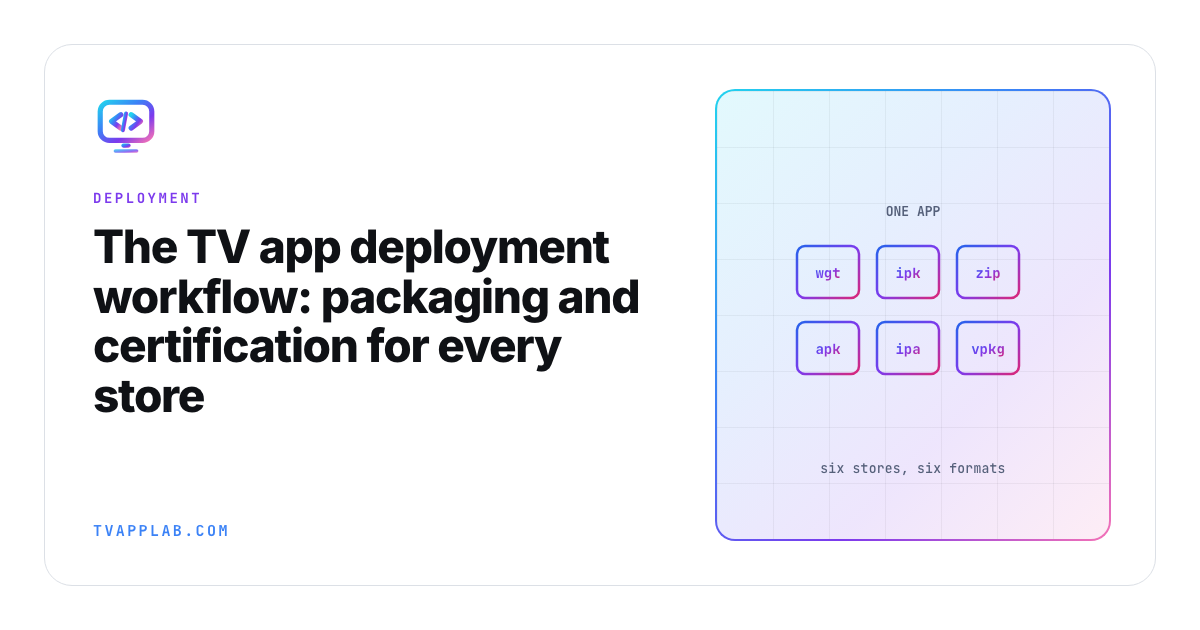
There is no universal TV app bundle. Each platform has its own format:
| Platform | Store | Package | Built with |
|---|---|---|---|
| Samsung Tizen | Samsung Apps / Seller Office | .wgt | Tizen Studio |
| LG webOS | LG Content Store | .ipk | webOS TV SDK (ares CLI) |
| Roku | Roku Channel Store | .zip channel | Roku SDK / SceneGraph |
| Fire TV | Amazon Appstore | .apk | Android tooling |
| Android TV | Google Play | .aab | Android tooling |
| Apple tvOS | App Store | .ipa | Xcode |
The practical consequence: automate the packaging step per platform. Teams that ship to all of these keep a build script that produces each artifact from the same source, so a release is one command per store rather than a manual ritual you half-remember every quarter.
Certification is where releases go to die
Packaging is mechanical. Certification is where the time goes, because each store enforces different rules and rejects for different reasons.
Samsung and LG (web platforms)
Both Tizen and webOS run web apps, and both are strict about the same handful of behaviors:
- Back-button handling. The Back key must move up one level and exit cleanly from the home screen. This is the most common rejection reason on both platforms.
- App lifecycle. The app must suspend, resume, and restore state correctly.
- Performance floors. The app has to launch and respond within the store's time limits on their reference hardware, which is often a low-end panel.
Get the back button and lifecycle right in the emulator and you clear most of what certification checks.
Roku
Roku is native (BrightScript / SceneGraph), so its checklist is different. Roku is particular about:
- Channel store metadata and the certification checklist, which is long and specific.
- Deep-linking and Roku Search integration for content channels.
- Billing, if you monetize, which must use Roku Pay.
Roku publishes its certification criteria explicitly. Read it before you build, not after you are rejected.
Fire TV and Android TV
Both are Android underneath, but they are different stores with different review teams:
- Fire TV goes through the Amazon Appstore and expects Amazon's device targeting and, for streaming apps, integration with the Fire TV UI.
- Android TV goes through Google Play with the Leanback requirements: a D-pad-navigable UI, a TV banner asset, and the correct manifest declarations. Miss the
LEANBACK_LAUNCHERintent or the banner and Play will not list you as a TV app.
Apple tvOS
tvOS goes through App Store review, which is the strictest of the group and the least forgiving of guideline violations. The focus engine has to work correctly, and human review is involved, so build in time for a back-and-forth.
The rejection reasons that repeat
Across every platform, the same themes account for most rejections:
- Back-button and navigation that does not behave the way the store demands.
- Performance below the store's floor on their reference (usually cheap) hardware.
- Metadata and assets, from missing TV banners to incomplete store listings.
- Playback and billing rules for streaming and monetized apps.
None of these are about your feature set. They are about conforming to each platform's contract, which is exactly why a per-store certification checklist saves you a rejected release.
Build the checklist once
The teams that ship smoothly do not memorize six certification processes. They keep one checklist per store, updated each time a submission gets kicked back, so the knowledge compounds instead of evaporating. That is the entire idea behind the QA checklist generator: pick your platforms, get the certification requirements that apply to them, and stop losing a week per release to a rule you forgot.
Before you get here, make sure the app actually holds up on device. The cross-platform testing guide covers how to catch the memory, codec, and input bugs that certification will otherwise catch for you, in public.
Frequently asked
What package format does each TV store need?
Samsung Tizen takes a .wgt, LG webOS takes an .ipk, Roku takes a zipped channel package under 4 MB, Fire TV and Android TV take an APK, and Apple tvOS goes through Xcode and App Store Connect. Fire TV is moving to .vpkg on Vega OS.
Why do TV apps get rejected? Focus and D-pad navigation problems first, store metadata and asset mistakes second, and performance on low-end hardware third. Roku publishes numeric thresholds and measures them.
How long does TV app certification take? None of the major stores publish a review timeline. Roku's certification overview and LG's approval-process page both describe the process without stating a turnaround, and Samsung and Amazon are silent too. Plan for at least a week per store, and at least one rejection cycle on a first submission, rather than around any specific figure you read.
Do updates need re-certification? Yes, on every store covered here. LG is explicit that unapproved changes can get an app pulled without notice.
Which store should I submit to first? Roku, because its criteria are numeric and published. Clearing its stopwatch gates puts you comfortably inside what the other stores expect.
Keep going
- Connected TV release-readiness checklist, the full cross-platform pre-flight
- Roku certification checklist for the numbers Roku actually measures
- Samsung Tizen certification for the model-group review loop
- Fire TV is leaving Android: what Vega OS means for your app
Keep reading
CTV Video-Start Benchmarks: Targets and Test Method
Define tap-to-first-frame consistently, segment TV devices into cohorts and publish median/p95 video-start results without inventing cross-platform averages.
Android TV Emulator Setup and Troubleshooting
Set up an Android TV emulator in Android Studio, choose a compatible system image and diagnose launch or acceleration problems before testing on a real TV.