Best smart TV testing tools and device clouds (2026)
The best smart TV testing tools compared by current platform coverage, automation approach, published pricing, free tooling, and where each device cloud fits.
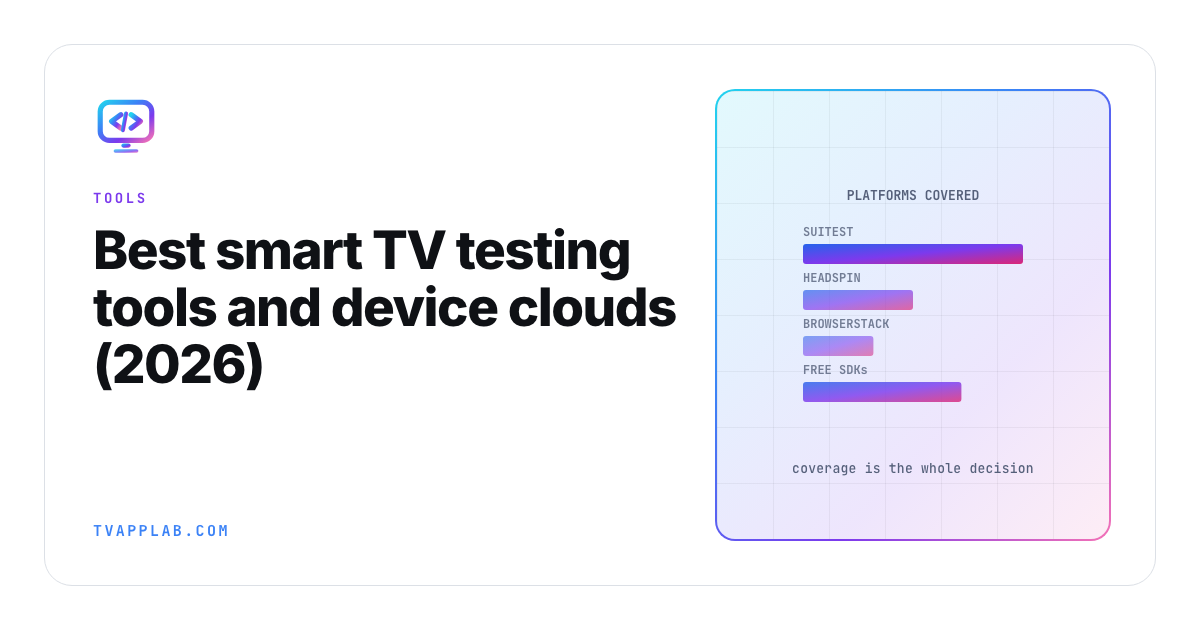
Every vendor in this category will tell you they support smart TV testing. Before you take that at face value, go and open their device list. I did, for all of them, and the thing that jumps out is this: of the general-purpose device clouds, exactly one covers Samsung Tizen and LG webOS, and it's probably not the vendor you already pay.
That single fact settles most of the buying decision, and everything below is the detail behind it.
I've organized this by what each tool actually covers rather than by feature bullets, because in CTV the platform list is the product. A tool that can't run your app on the OS your users own is worth nothing to you, however good its reporting looks in the demo.
One housekeeping note. Prices below come from the vendors' current public pages, and several headline monthly figures require annual billing. Where a vendor doesn't publish, I say so rather than turning a comparison-blog estimate into a quote. Open the linked pricing page again before procurement; this category changes too quickly for a copied number to become policy.
The best smart TV testing tools, side by side
| Tool | Documented TV scope | Public price entry |
|---|---|---|
| Suitest | Tizen, webOS, Roku, Fire TV, Android TV, tvOS, Vizio, Vega and more | Free; paid plans to €1,673/mo billed annually (€1,859 monthly) |
| BrowserStack | Fire TV, Shield, Apple TV and Roku (alpha, on request) | App Automate from $199/parallel/mo billed annually; no published TV price |
| HeadSpin | Tizen, webOS, Vizio, Android TV and Apple TV | Smart TVs only in CloudTest Pro, custom-priced per project |
| TestMu AI | Roku, Apple TV 4K, Android TV and Fire TV (in the real-device automation plan) | Real-device automation from $199/parallel/mo billed annually |
| Platform-native tooling | One platform at a time | Free |
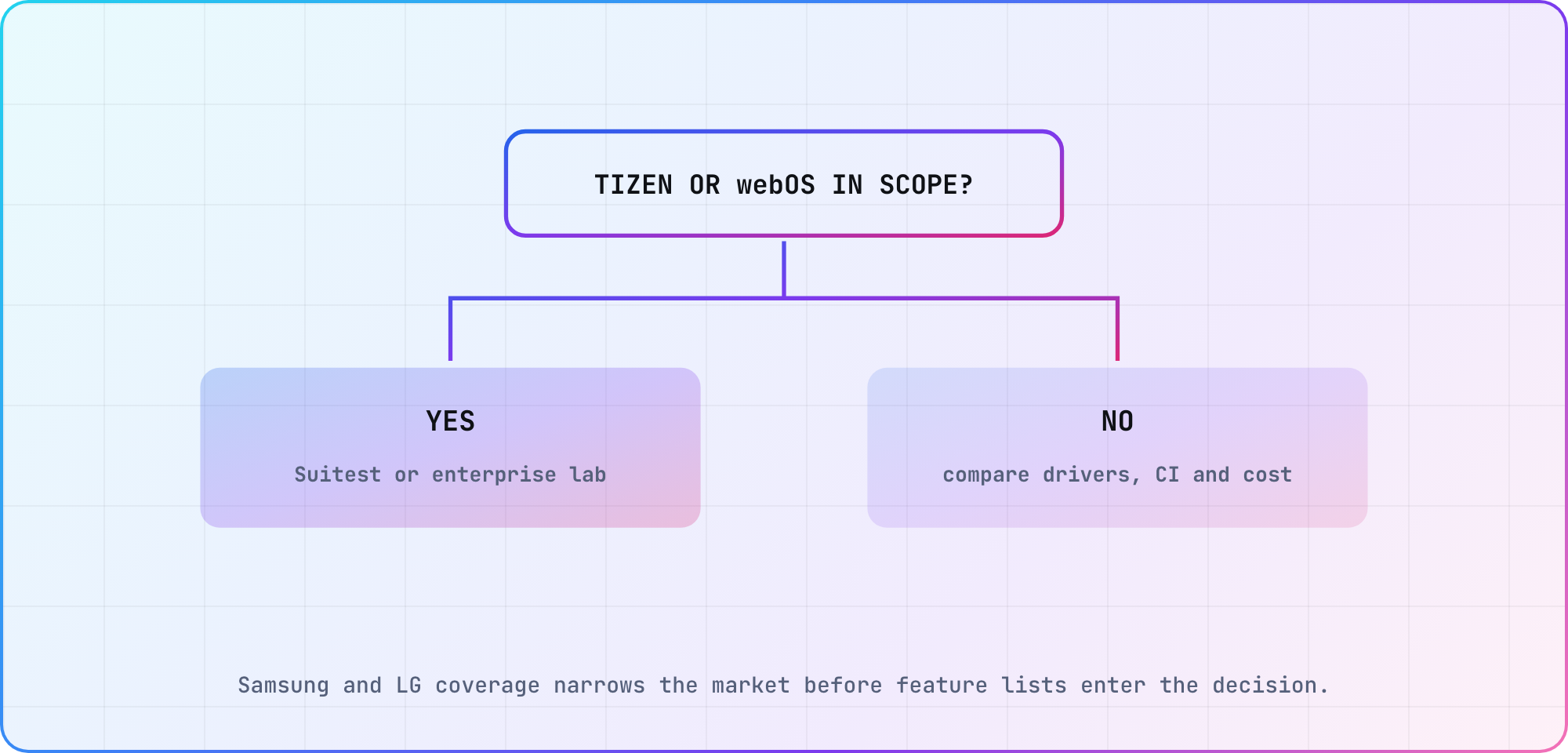
Start with the release scope. A tool that cannot reach a required TV operating system is out before price or dashboard polish matters.
Suitest: the one built for this
Suitest is the only vendor here whose entire product is OTT and TV, and the platform list is the reason it exists: HbbTV, Freeview Play, Samsung Tizen, LG webOS, Roku, Fire TV, Apple tvOS, Android TV and mobile, Vizio, Vega, VIDAA, Whale, Sky, Xfinity, Xumo, plus Xbox One and Series and PlayStation 4 and 5.
How does it reach platforms that have no element tree at all? By not depending on one. Its current feature page lists AI-assisted element identification plus visual testing with OCR and image template matching. That is how a product can reach targets without promising the same native tree everywhere, and it's worth understanding the trade before you buy: image-based assertions cover the uncoverable, and they're flakier than a real accessibility tree. There is no free lunch here, only a choice about which problem you would rather have.
You also get live device streaming with remote control, console logs, network monitoring, performance metrics, and line-by-line screenshots in results. There is a public device lab, and a managed device lab option if you want your own hardware racked by someone else.
The pricing is published in EUR, which by itself puts Suitest ahead of half this list. The page opens on annual billing, so here are both figures:
| Plan | Per month, billed annually | Per month, billed monthly | Included execution |
|---|---|---|---|
| Free | €0 | €0 | 50 minutes; 1 user and device |
| Sweet | €494 | €549 | 1,000 minutes; 3 parallel tests |
| Super Sweet | €935 | €1,039 | 2,200 minutes; 5 parallel tests |
| The Sweetest | €1,673 | €1,859 | 4,500 minutes; 10 parallel tests |
| Enterprise | Custom | Custom | Configurable minutes and 10+ parallels |
The mechanic that catches people is how minutes are counted. Suitest's own wording: "Testing minutes are counted when you are executing tests via automated or interactive mode." Interactive mode means you, sitting there, poking at a device through the browser. Wander off to lunch with a session open and you're paying for it. Suitest adds that minutes also count "when you are connected to a shared device," so idle interactive time is the line on the bill I'd watch before the test suite itself.
Verdict. If Samsung and LG are on your reach list, this is effectively the category rather than a contender in it. Start on the free tier, prove your hardest platform works with your actual app, then size the minutes against real run volume.
BrowserStack: excellent, and narrower than it looks
BrowserStack App Automate added smart TV support and it's genuinely well built. It's still labeled an alpha release, though, and you have to ask support to switch it on for your account. The fleet is four devices:
- Amazon Fire TV Stick 4K, Android 7.1
- Nvidia Shield TV Pro 2019, Android 11.0
- Apple TV 4K, tvOS 26
- Roku TV, RokuOS v15+
Drivers are UiAutomator2 for the Android-based devices and XCUITest for Apple TV, where the docs note "Appium 2.0 is the default and the only version supported." Roku runs through the Appium Roku driver on Appium 2.18.0, the version BrowserStack's docs specify, and comes with a caveat worth reading twice if your Roku tests inspect traffic: "Network logs and local are not directly supported for Roku devices."
Now, notice what isn't on that list. Tizen, webOS and Vizio don't appear anywhere in the smart TV documentation.
BrowserStack doesn't say why, and a missing driver doesn't explain it on its own. Per the Appium 3.8 drivers page, Tizen and webOS have no driver maintained by the Appium team, but neither does Roku, and BrowserStack's own Roku docs point you to HeadSpin's third-party Appium Roku driver. The same Appium page lists HeadSpin-supported TizenTV and LG webOS drivers. Whatever the reason, it's a hard wall for anyone shipping to Samsung and LG.
On pricing, and this is where I had to correct myself: Live starts at $29/month for Desktop or $39/month for Desktop and Mobile, both billed annually. Automate is priced per parallel and runs $59/month for Chrome, $175 for Desktop and Mobile, and $225 for the Pro tier with real-device features, again billed annually. Team plans start around $150/month for five users. Smart TV sits under App Automate, though, which is priced separately: Device Cloud is $199/month per parallel billed annually ($249 month to month), and the pricing page doesn't mention TV devices at all. If you've seen "$129 per parallel" quoted for BrowserStack (including, briefly, in an earlier version of this article), that's the month-to-month price of the Automate Desktop tier ($99 billed annually), a desktop-browser plan with no TV devices in it.
Verdict. If your reach plan is Roku plus Fire TV plus Android TV plus tvOS, this is a strong pick, and it's stronger still if your org already runs BrowserStack for web and mobile and would rather not add a vendor.
HeadSpin: the performance-first enterprise option
HeadSpin's smart TV page lists Samsung Tizen, LG webOS and Vizio TVs, its FAQ there adds Android TV, and its pricing page FAQ says it fully supports Apple TV automation. It also quietly does the CTV community a service: it maintains the third-party Appium drivers for Roku, Tizen TV and webOS that appear in the Appium 3.8 ecosystem docs. If you've ever wondered who keeps those alive, now you know.
The differentiator is performance analytics: real network conditions, latency measurement, experience scoring. For a video app where startup time and rebuffering are the product, that isn't a nice-to-have, and it's the reason I'd put HeadSpin on a media company's shortlist.
HeadSpin does publish pricing now, just not for TVs. CloudTest Lite starts from $49/month and CloudTest Go from $100/month on monthly billing (the page opens on yearly billing, which shows $39 and $83). Go's device list adds set-top boxes, but smart TVs only appear in CloudTest Pro, which is "Custom pricing as per project." So for TV work, the only real number is still the one their sales team gives you, and I'd ignore the confident figures floating around comparison blogs.
Verdict. Right when video quality of experience is the metric your business cares about and there's already a procurement process. Wrong for a team of five.
TestMu AI, formerly LambdaTest
Worth knowing before you go looking: LambdaTest rebranded to TestMu AI in January 2026, and lambdatest.com now redirects. It still documents a Roku with Appium path, and its real-device automation plan now lists TV app automation "including Roku, Apple TV 4K, Android TV, and Fire TV," the same four families BrowserStack documents.
Here's where I have to walk back a claim. I had this filed as the budget option, on the strength of a "$15/month" figure and a comparison blog describing it as roughly half BrowserStack's cost. Both fall apart against the published pricing. The cheap tiers are KaneAI agent plans starting at $17/month billed annually, which aren't real-device testing. Real device automation starts at $199 per parallel session per month, billed annually ($249 month to month), with real-device Live at $39 per parallel session on the same annual basis. That's the same as BrowserStack's App Automate Device Cloud tier ($199 billed annually), so it isn't a cheaper route to real-device or TV automation.
There is a genuine freemium plan, and the wording is unusually generous: "When you sign up, you instantly get access to our Freemium plan. This plan has no trial time limit, It is there for you for Life."
Tizen and webOS are absent here too.
Verdict. Reasonable if you want its AI-assisted authoring or you're already inside its ecosystem. Not the budget escape hatch it gets described as, and not an answer to the Samsung and LG problem.
The free tooling you should exhaust first
Before you buy anything at all, know that every platform ships first-party tooling, and it's better than most teams assume.
Roku gives you the External Control Protocol on port 8060: keypress, deep-link launch, media-player state, and in developer mode query/sgnodes for the SceneGraph tree plus query/chanperf for CPU and memory. Roku's own WebDriver framework wraps that behind JSON Wire Protocol with Robot Framework and Node bindings, and needs Roku OS 9.1 or later with a physical device in dev mode. ECP itself has no screenshot command. Roku's developer setup screenshot utility grabs your sideloaded app's UI, and the Appium Roku driver's getScreenshot works only while that dev app is active, but Roku says you can't capture content playback, so pixel checks on video still mean HDMI capture hardware.
Android TV and Fire TV are just Android: ADB and UiAutomator2, adb shell input keyevent KEYCODE_DPAD_DOWN, the full view hierarchy, logcat, Perfetto. The Android TV AVD is free and decent.
Apple tvOS has XCUITest, reachable through the Appium tvOS driver or directly. The simulator covers most of what you need and mobile: pressButton handles the remote.
Samsung Tizen has Tizen Studio with the TV Extension, an emulator, and the Web Inspector.
LG webOS has the webOS TV Simulator and the webOS CLI (ares-package, ares-install, ares-launch, ares-inspect). LG has deprecated the old Emulator and only offers it for webOS TV 6.0 and earlier.
A competent team gets a long way on free tooling for tvOS, Android TV and Fire TV. What you can't conjure for free is a rack of Samsung and LG firmware generations, and that, precisely, is what you end up paying a device cloud for.
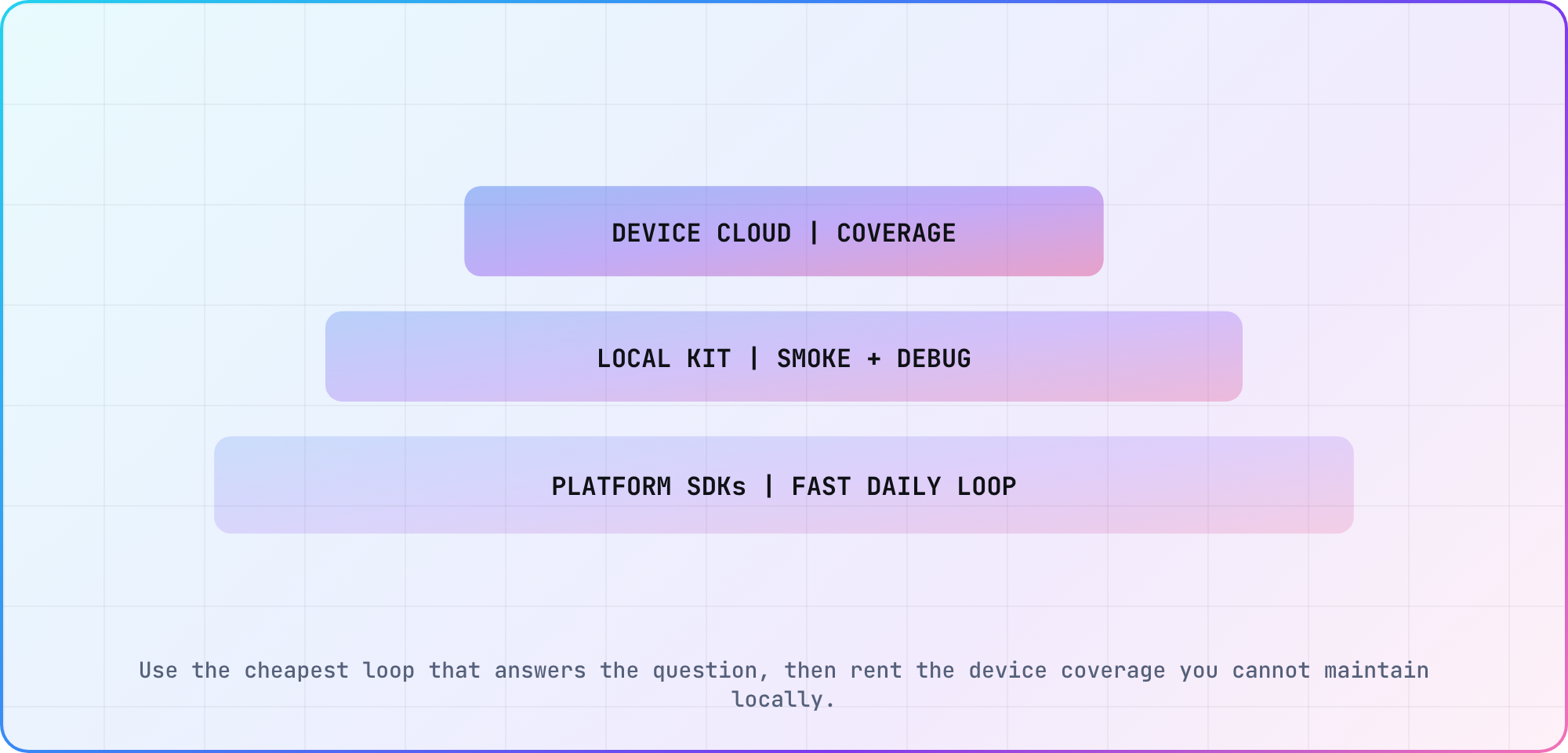
Use the fastest local loop for daily work, then spend cloud time on the firmware and platform coverage your team cannot keep on a shelf.
The question to ask every vendor right now
What is your Vega OS plan?
Amazon now has a second Fire TV platform, Vega OS, where apps are built with React Native for Vega and ship as .vpkg rather than APK (Amazon's 0.24 submission docs let Fire OS and Vega OS builds share one app listing). Every Fire TV automation story on this page currently runs on Android tooling, and none of it carries over. Amazon does ship its own Appium Vega Driver, so the platform stays automatable, but it's a different driver and your existing UiAutomator2 tests are a rewrite.
Suitest already lists Vega among its supported platforms. Everyone else has said nothing public that I can find. "We support Fire TV" is about to mean two different things, and you want to know which one you're buying.
How to choose
Answer one question before you take a single sales call: is Samsung Tizen or LG webOS in scope?
If no, your options are genuinely open. BrowserStack if you want one vendor across web, mobile and TV. TestMu AI if its authoring tools appeal. HeadSpin if video performance analytics is the point. Free platform tooling plus a small local device kit if your volume is low, which is a completely respectable answer for a team shipping its first app.
If yes, the market collapses to Suitest and HeadSpin, and only one of them will tell you the price without a meeting.
Frequently asked
What is the best smart TV testing tool?
For the widest published TV coverage, Suitest is the clearest starting point. BrowserStack fits teams whose target list matches its four documented smart TV families and who want standard Appium workflows. HeadSpin belongs in enterprise performance conversations. The best choice starts with required platforms, then run volume, evidence needs and budget.
Which device clouds support Samsung Tizen and LG webOS?
Suitest publicly lists both Samsung Tizen and LG webOS. HeadSpin lists Samsung Tizen, LG webOS and Vizio smart TVs, but only in its custom-priced CloudTest Pro tier, and it supports the matching Appium drivers. BrowserStack's public smart TV fleet and TestMu AI's public real-device material do not list those two television operating systems.
Can I test smart TV apps for free?
Yes, for useful parts of the workflow. Apple, Google, Samsung, LG, Roku and Amazon publish platform tooling, simulators, virtual devices or developer protocols. Suitest also offers 50 testing minutes. Free tooling does not replace representative televisions for playback, DRM, remote behavior, performance and old firmware coverage before release.
How much does smart TV testing cost?
Suitest publishes plans from free through €1,673 per month billed annually, or €1,859 month to month. BrowserStack's App Automate starts at $199 per parallel billed annually, though its smart TV alpha has no published price. TestMu AI lists real-device automation at $199 per parallel annually. HeadSpin publishes Lite and Go prices, but smart TVs need custom-priced CloudTest Pro.
Do I still need physical devices if I use a device cloud?
Keep a small local kit for the daily install, focus, playback and debugging loop. Use a cloud to reach firmware generations and platforms you cannot maintain yourself. The exact split depends on release risk: a cloud session adds coverage, while a device on the desk shortens investigation when a test fails.
What should I prove during a device-cloud trial?
Bring one difficult journey, not a demo application. Install the real package, navigate with the production input path, start protected playback, capture logs, reproduce one known failure and export the result. Then record setup time, locator stability, device availability and billable usage. Those measurements make competing quotes comparable.
Sources
- Suitest, pricing and features
- BrowserStack, smart TV app automate and pricing
- TestMu AI, pricing and the Roku with Appium guide
- Appium 3.8, drivers ecosystem
- Roku, External Control Protocol and automated channel testing
- HeadSpin, pricing and smart TV testing
Related: How to test an app on a Samsung TV without buying one, LG webOS app testing: the complete workflow, and How to test an OTT app across every smart TV platform.
Keep reading
Remote Smart TV Testing Without a Local Device Lab
Compare remote smart TV testing by exact hardware coverage, interaction depth, private-network access and evidence capture, then keep a small local smoke kit.
Samsung Tizen TV Test Automation: Limits and Workarounds
Automate Samsung TV build, signing, install and evidence capture while keeping device focus and playback verdicts outside unsupported official UI automation.