How to vibe code a TV app: prompts that survive the remote
Learn how to vibe code a TV app with a platform-first workflow, copyable AI prompts, focus contracts, playback boundaries, and real-device proof that holds up.
"Vibe coding" was new enough to be named Collins' Word of the Year for 2025. GitHub's 2025 Octoverse report says 80% of new developers used Copilot during their first week. Still, 72% of respondents to Stack Overflow's 2025 developer survey said vibe coding wasn't part of their professional work.
A TV app is a lovely little test of that tension. An AI agent can make a gorgeous streaming home screen before lunch. Then you pick up the remote and discover the second row can't receive focus, Back exits the app, and the play button points at a browser video component that doesn't exist on your target.
So, what's the best way to vibe code a TV app? Give the agent one platform, one remote journey and one source of truth at a time. Make it return proof after each slice. These TV app prompts are written for that loop, with AI TV app development treated as engineering work instead of a screenshot contest.
Pick the runtime before you pick the colors
"Build me a smart TV app" is too vague. Smart TVs don't share one application runtime, package or input API. Roku's current getting-started guide uses BrightScript and SceneGraph. Samsung's TV quick-start guide describes a web app made from HTML, CSS, JavaScript and config.xml. LG's first webOS app guide starts with web technology and packages the result as an IPK.
If you want one TypeScript project for Apple TV and Android TV, my default prototype choice is React Native TV with Expo. Expo's TV guide covers both targets and warns that some Expo libraries aren't available on TV. The React Native TV project says its template supports Apple TV and Android TV, not every TV platform.
| Launch target | Sensible first scaffold | What the agent must know |
|---|---|---|
| Apple TV plus Android TV | Expo and React Native TV | Two native targets, D-pad or remote focus, TV-compatible modules |
| Roku | Roku sample or SceneGraph project | BrightScript, SceneGraph XML, Roku packaging and device loop |
| Samsung TV | Tizen TV web project | config.xml, certificates, remote keys and target model group |
| LG TV | webOS basic web app | appinfo.json, IPK packaging, Developer Mode and Magic Remote behavior |
| Several families | Separate platform shells around shared product contracts | Shared catalog and analytics don't create a shared player or package |
Use the TVAppLab device database to name the runtime before you start. If your answer is "all TVs," your first prompt should produce a platform plan, not code.
Paste this into your coding agent:
We are planning a TV app, not implementing it yet.

Target devices: [EXACT PLATFORMS AND MINIMUM OS OR MODEL YEARS]
Product slice: browse one catalog row, open details, play one clear HLS stream,
return to the previously focused card.
Existing team skills: [LANGUAGES / FRAMEWORKS]

Use current official vendor documentation. Produce:
1. one recommended runtime and scaffold per target;
2. the package type and official simulator/emulator for each target;
3. what can be shared and what stays platform-specific;
4. links to the official pages that support every choice;
5. unresolved decisions that would change the architecture.

Do not write code. Do not assume a browser runtime, touch input, DRM support,
or store compatibility unless the named target documentation confirms it.
That last line earns its keep. It stops a confident web prototype from quietly becoming your Roku plan.
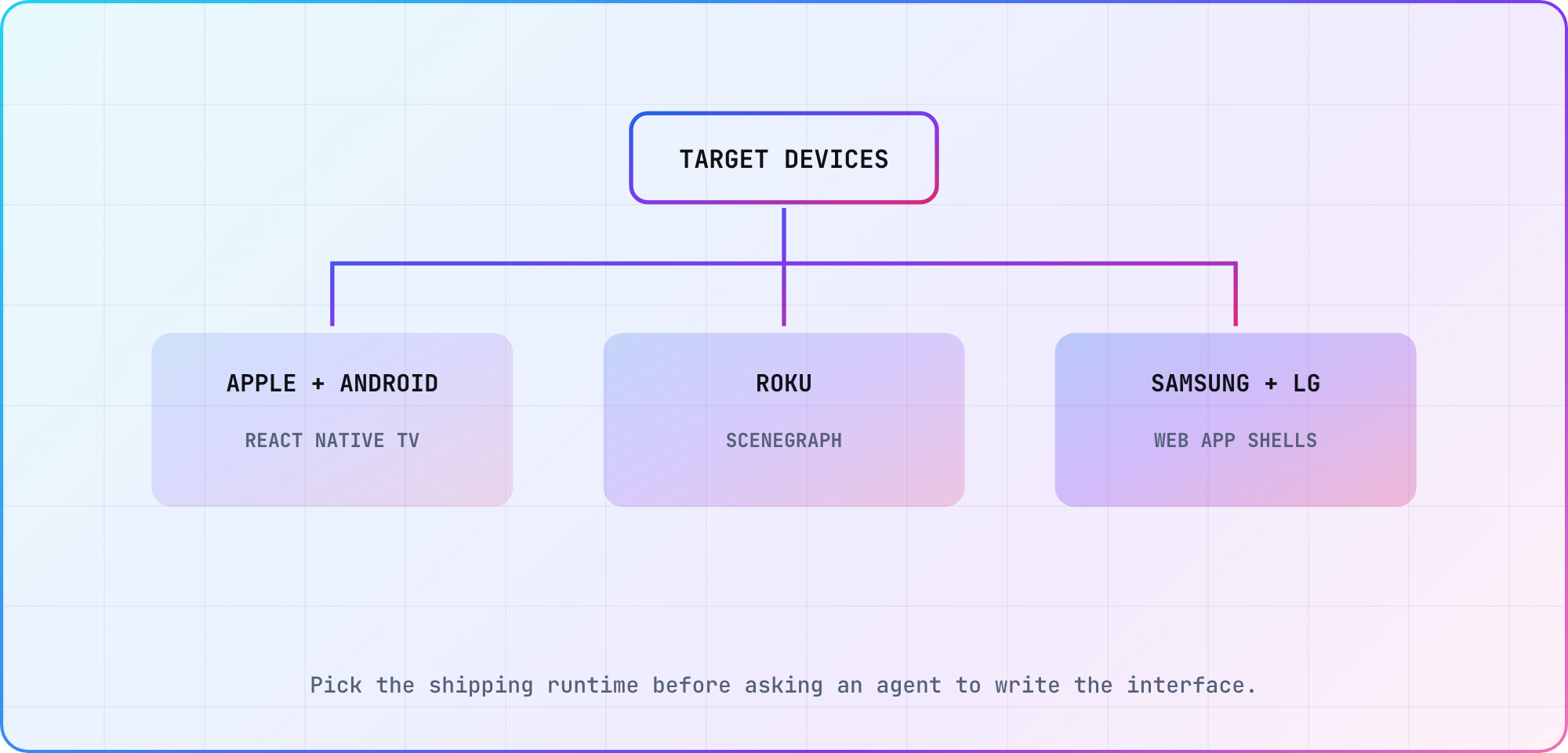
Illustrative platform decision map based on the official runtime guides linked above; each shipping target still needs its own current vendor check.
Give the agent a TV contract
Once you've chosen the runtime, turn the product idea into a small contract. A useful first slice is catalog row to detail to clear playback to restored focus. It has a beginning, an end and several ways to fail visibly.
For an Apple TV and Android TV prototype, the official React Native TV quick start currently exposes a TV-specific Community CLI template. Expo's guide also documents the TV config plugin and matching react-native-tvos dependency for its SDK. Ask the agent to inspect those pages and the installed project before choosing commands. That matters because latest is a moving target, while your lockfile isn't.
Create the smallest runnable project for [TARGET] using the official scaffold
we selected. Before editing, report the installed Node, package-manager, SDK,
framework and platform-tool versions. Cite the official setup page you are
following.

Implement only this journey:
- launch into one horizontal row of six catalog cards;
- show an obvious focused state;
- open a detail screen with Select/OK;
- start one clearly labeled test stream;
- Back closes playback, then detail, then returns to the same card;
- the app never requires touch, mouse hover or a text keyboard.

Use TypeScript strict mode where the scaffold supports it. Keep fixture data
local. Do not add authentication, analytics, DRM, purchases or a backend.

Return the files changed, commands run, command output, and any behavior that
still needs simulator or physical-device proof.
Why local fixture data? It keeps the agent working on TV behavior instead of spending half the session inventing an API. The catalog contract can become real later. Focus and Back behavior already have to be real now.
Prompt the focus graph, not the screenshot
This is where most generated TV interfaces give themselves away. A screenshot can show six perfect cards without proving that a viewer can reach card six.
Android's TV navigation guide says the D-pad is the primary navigation method and tells developers to verify that every visible control is reachable. Apple's focus guidance likewise requires every onscreen element to be reachable through indirect input. React Native TV includes TVFocusGuideView for gaps where spatial layout alone doesn't lead focus where the product expects.
Give the agent the graph in plain language:
Treat focus as application state that we can inspect.

For every screen, write a focus contract before changing code:
- initial focused element;
- result of Up, Down, Left and Right at every edge;
- result of Select/OK;
- result of Back/Menu;
- focus destination after returning from the next screen;
- behavior when a row is empty, loading or refreshed.

Implement visible focused, pressed and disabled states. Use the platform's
native focus behavior first. Add explicit destinations only where the measured
default path violates the contract.

Then give me a remote-only test script. A mouse click, touchscreen tap or DOM
query cannot count as proof that focus works.
The phrase "measured default path" is deliberate. Agents love adding directional overrides everywhere. That usually produces a focus maze that breaks the moment a row changes length.
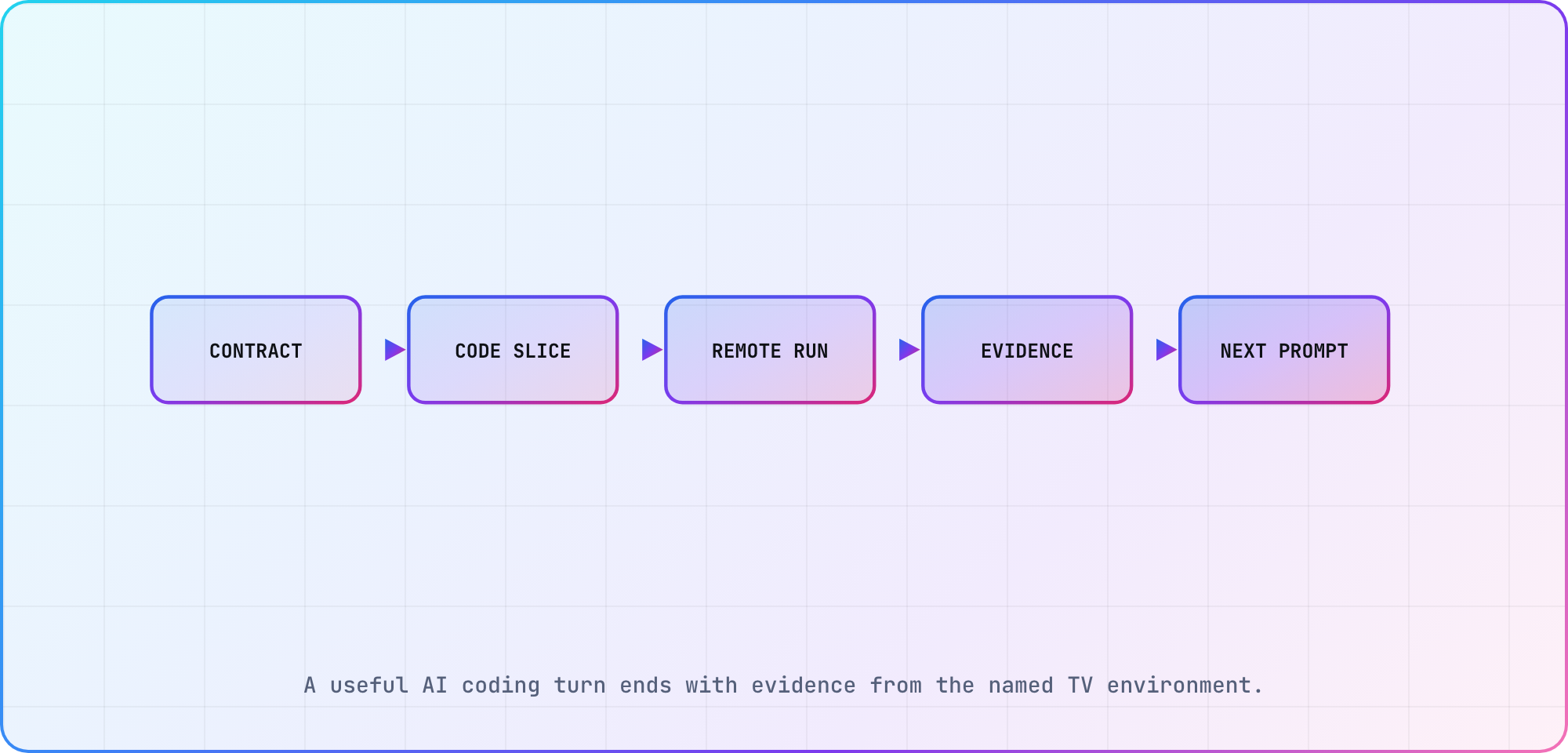
Illustrative agent loop. The evidence comes from the named simulator or device, not from the generated code or a static preview.
Keep playback behind a boundary
Playback is where a convincing demo can turn into a rewrite. The player, DRM system, audio stack and lifecycle behavior vary by runtime. Ask the agent for a boundary before it chooses a component.
Add playback behind a PlayerAdapter interface for [TARGET PLATFORM].

The first implementation may use one clear HLS test stream. It must expose:
idle, loading, playing, paused, ended and error states; play/pause; exit; and
the last error in a developer-readable form.

Use the platform's documented playback path. Link the exact official API or
library page. Label any unexecuted code as illustrative.

Do not claim support for DRM, ads, captions, 4K, surround audio or background
resume. Instead, produce a follow-up matrix listing the stream, codec, DRM,
device model and OS evidence needed before each claim can be made.
The interface gives the agent somewhere clean to put platform differences. The explicit exclusions stop "video played once" from growing into a paragraph of imaginary production support.
Make every prompt end with proof
The useful unit of AI coding is a verified change, not a long conversation. GitHub's Copilot coding agent definition says the agent can draft code, run tests and open pull requests, subject to developer review and approval. TV work makes that loop wonderfully concrete because the remote journey can be written down button by button.
Use this closer on implementation prompts:
Stop after this slice. Run the relevant typecheck, lint and unit tests, then run
the app in [NAMED TV SIMULATOR / EMULATOR]. Report each command and exit code.

For the remote journey, record:
- build identifier and source revision;
- simulator/emulator or device model and OS;
- exact button sequence;
- expected focus after each input;
- observed focus after each input;
- playback result and error output;
- gaps that only physical hardware can close.

If you cannot run a check, say "not run" and tell me what is missing. Do not
replace execution with a code-reading guess.
Then repeat the same short journey on representative hardware. Our cross-device TV test guide explains which questions belong in a browser, simulator and physical device. The first two shorten the loop. Hardware closes the remote, decoder, memory and firmware gaps.
Use an audit prompt before adding features
By this point, the temptation is to ask for profiles, search, subscriptions and a heroic carousel animation. Run an audit first. It makes the agent read the project it just created as if another developer wrote it.
Audit this TV app against the original platform and focus contracts.

Do not edit yet. Return a table with:
- contract item;
- file and symbol that implement it;
- test or run evidence;
- status: proven, contradicted or unknown;
- smallest next action.

Check especially for touch-only controls, unreachable focus targets, focus loss
after navigation or data refresh, Back exiting too early, platform-incompatible
packages, secrets in client code, unhandled player errors and claims that exceed
the recorded device evidence.

Recommend the smallest fix set. Wait for that list to be accepted before making
changes.
I like this prompt because it turns a fuzzy "is it good?" into an evidence table. Unknown is an acceptable status. In fact, unknown is far more useful than an agent cheerfully blessing code it never ran.
Where I would stop vibing
Use the agent aggressively for the scaffold, fixtures, focus states, adapter interfaces, test scripts and the boring wiring between them. Slow down around account recovery, payments, DRM licenses, analytics identity, privacy disclosures and store submission. Those areas combine secrets, external policy and failure states that a polished happy path won't expose.
That split also answers the trend question. Vibe coding is useful on a TV when the developer supplies the constraints the screen hides. The agent can write a lot of code. You still own the target, the remote journey and the evidence.
Frequently asked
Can I vibe code a TV app with no programming experience?
You can build a prototype, especially if you choose one documented platform and an official starter. Shipping still requires someone to understand the generated project, protect secrets, diagnose build failures and verify behavior on hardware. Keep the first slice local and small, then get experienced review before adding accounts, payments or protected video.
What is the best framework for vibe coding a TV app?
For one TypeScript prototype targeting Apple TV and Android TV, I'd start with React Native TV and Expo because both targets share a documented path. Roku, Samsung and LG use different runtimes and packages. The best framework follows the launch target, existing team and required player rather than the agent's favorite frontend stack.
Can one AI-generated codebase run on every smart TV?
No current official scaffold in this guide produces one package for Roku, Apple TV, Android TV, Samsung Tizen and LG webOS. You can share catalog schemas, API contracts, analytics names and design tokens. Plan separate shells, players, packages and store evidence wherever the platform runtime changes.
What should my first TV app prompt include?
Name the exact platform, minimum OS or model years, official scaffold, one remote journey and the checks that prove it. Include initial focus, every directional edge, Select, Back and focus restoration. Ask the agent to report versions, commands, exit codes and anything it couldn't run instead of filling gaps with confident prose.
Do I need a real TV if the emulator works?
Yes before you make release claims. Simulators and emulators are excellent for the fast layout, focus and navigation loop. Representative hardware answers different questions about the production remote, video decoder, DRM, memory pressure, HDMI behavior, network conditions and firmware. Keep the two results labeled so a fast-loop pass doesn't impersonate device evidence.
How do I stop an AI coding agent from breaking focus navigation?
Write the focus graph before the code, test it with remote-only inputs and add explicit directional overrides only after observing a wrong default path. Re-run the same button sequence after navigation, loading and data refresh. Ask for the observed destination after each input, since a screenshot can't prove where focus will move next.
Keep reading
Remote Smart TV Testing Without a Local Device Lab
Compare remote smart TV testing by exact hardware coverage, interaction depth, private-network access and evidence capture, then keep a small local smoke kit.
Samsung Tizen TV Test Automation: Limits and Workarounds
Automate Samsung TV build, signing, install and evidence capture while keeping device focus and playback verdicts outside unsupported official UI automation.