Fire TV is leaving Android: what Vega OS means for your app
Amazon Vega OS migration guide for Fire TV: React Native runtimes, VPKG builds, OS 1.2 targeting, Appium tests, and Appstore submission steps in 2026.
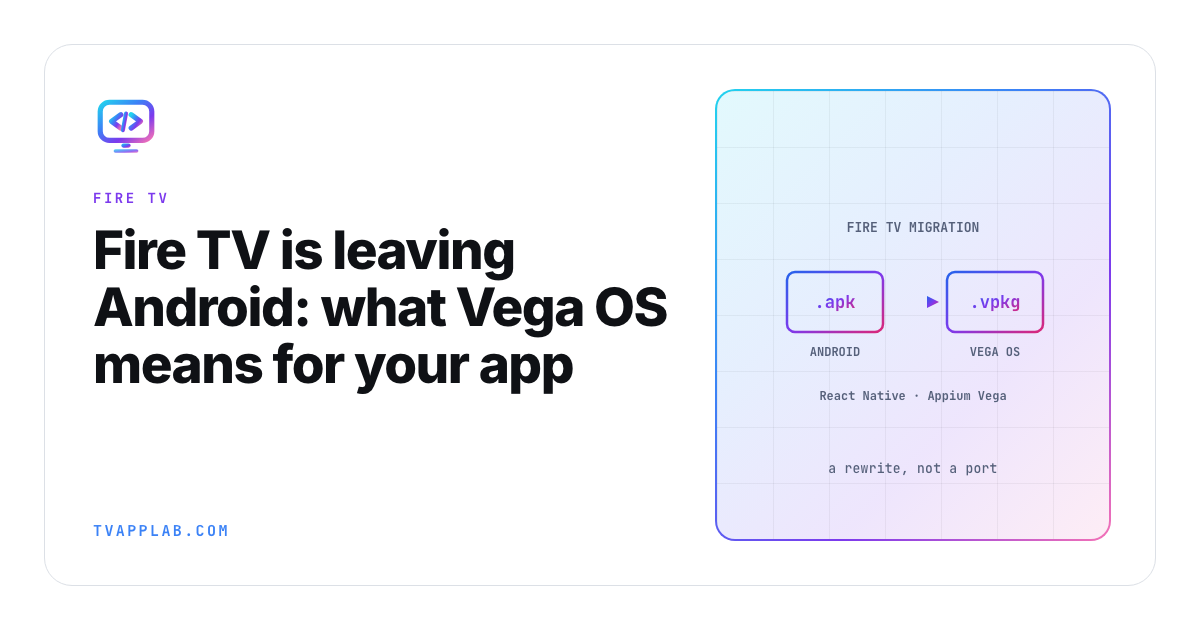
Before we get into the SDK, I want to be clear about what Amazon has actually done here, because I think a lot of the coverage undersold it. Amazon has walked away from Android on Fire TV. Not forked it further, not skinned it differently. Walked away. Rumors had been circulating for months before the transition started rolling out, and now there's a full developer documentation portal sitting there in open beta.
For us, that means every piece of Android tooling you use on Fire TV stops applying. adb, logcat, UiAutomator2, your APK, your Kotlin, the Android emulator. Gone, on Vega devices.
Now, before you panic (and honestly, I did a bit when I first read the docs), Amazon didn't leave a hole. There is a real SDK, a virtual device, a first-party Appium driver, and submission runs through the same Developer Console you already use. But this is a rewrite of your app and a rewrite of your tests, and the sooner you know its actual shape, the cheaper it gets.
One note on sourcing before we start, because it matters for a platform this new. Everything below is checked against Amazon's current Vega SDK 0.24 documentation. I've flagged where a widely repeated claim comes from press coverage rather than Amazon. The docs remain an open beta, so follow the versioned links before copying a command into a release runbook.
What Amazon Vega OS actually changes
| Fire OS (today) | Vega OS | |
|---|---|---|
| Base | Android (AOSP fork) | Reported as Linux-based, see the note below |
| App framework | Kotlin, Java, or React Native | React Native for Vega; OS 1.2 offers RN 0.72 and 0.83 runtimes |
| Package | .apk | .vpkg |
| CLI | adb | vega in SDK 0.24 |
| Local device | Android AVD | Vega Virtual Device (VVD) |
| IDE tooling | Android Studio | Vega Studio, a VS Code extension |
| UI automation | Appium UiAutomator2 | Appium Vega Driver |
| Logs and debug | adb logcat | vega device shell, Chrome DevTools for JS on RN 0.72 (React Native DevTools on RN 0.83), Charles for network |
| Store | Amazon Appstore | Amazon Appstore, same Developer Console |
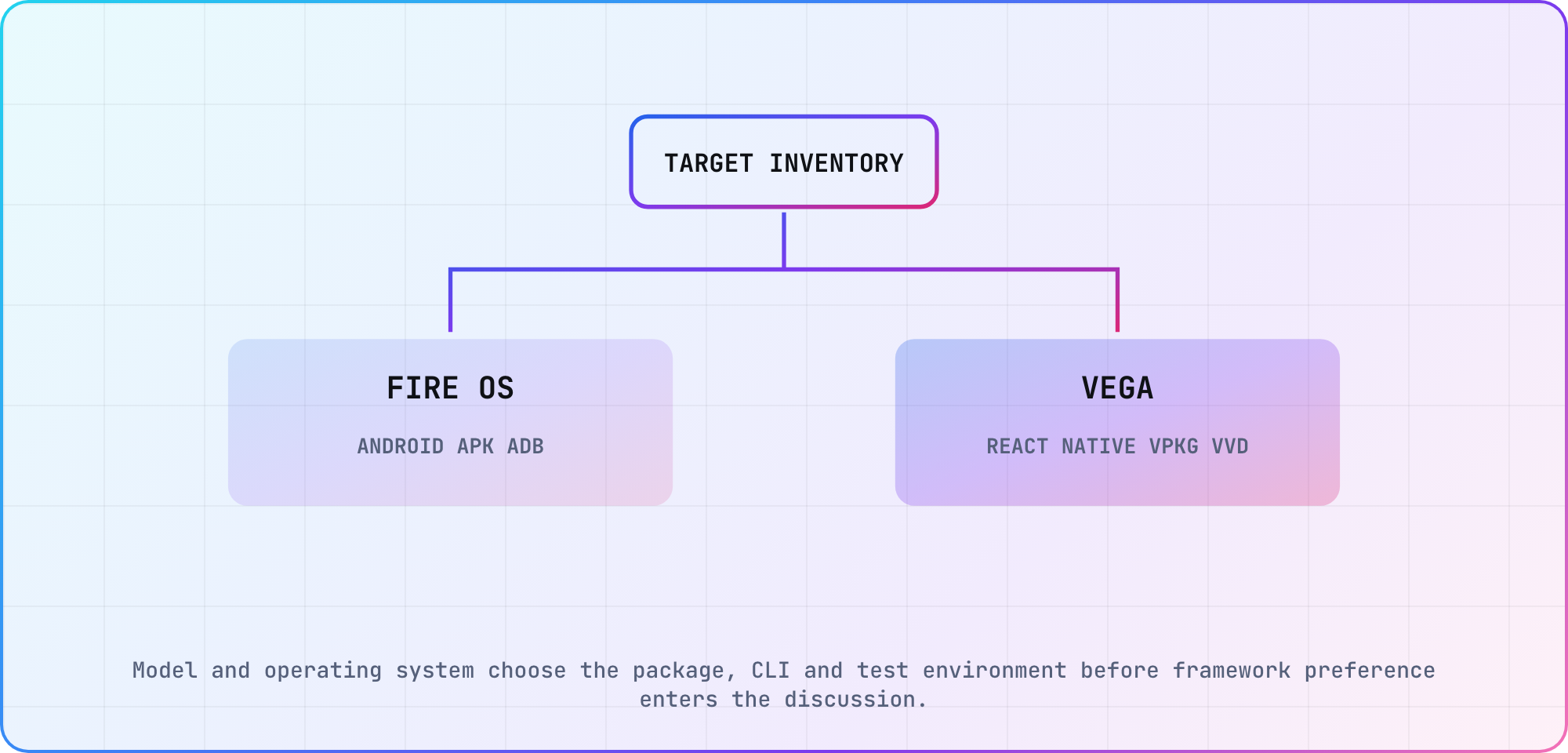
The target device chooses the package, CLI and test environment; this diagram reflects Amazon's current Fire OS and Vega developer paths.
A caveat on that first row, and this is exactly the kind of thing I want to be careful about. That Vega is Linux-based and specifically not an Android derivative is reported consistently by trade and Linux press, and everything in the toolchain is consistent with it. Amazon's own Vega SDK overview doesn't say it in those words. Treat the architecture claim as well-sourced reporting rather than vendor-stated fact, and treat the toolchain differences as documented.
The row that will actually reshape your roadmap is the second one. Vega apps are React Native. Amazon does document Vega Web Apps for teams with existing web content, but that route still runs your HTML, CSS and JavaScript in a WebView component inside a React Native for Vega app.
React Native for Vega, specifically
This is where I think the docs are more interesting than the news coverage, and where the real migration cost hides.
Amazon's SDK 0.24 release notes keep RN 0.72 working and introduce RN 0.83 for Vega in early access. Vega OS 1.2 carries both runtimes. Your @amazon-devices/react-native-* dependency versions determine which runtime the CLI resolves, and the build tooling rejects a runtime that falls outside the declared OS range.
Two of the TV-specific pieces will look familiar if you've shipped for Apple TV, because Amazon adapted them from RN tvOS: TVFocusGuideView and TVEventHandler. Focus management on TV is the thing that eats sprints, so borrowing a known-good API here was a sensible call.
Then there are the Vega-specific extensions you'll end up writing against:
KeplerAppStatefor app lifecycleFocusManagerfor navigationSplashScreenManagerI18Nfor localization
Playback goes through a media framework that Amazon describes as compliant with the W3C MSE and EME specs, which is good news if you've already got a player abstraction, and there's support for headless processes for short-lived background tasks. One catch if you're previewing RN 0.83: the SDK 0.24 release notes list a known issue where headless tasks running in their own process group can crash on launch, and Amazon says not to submit an app that uses its temporary workaround to the Appstore. Amazon also calls out Time Till Fully Drawn (TTFD) as a metric to optimize against, which tells you where certification pressure is likely to land.
Amazon's pitch is that you can "reuse your existing React Native code on Vega devices with minimal changes." I would read that the way you read any vendor's migration promise: broadly true for your business logic, optimistic about your platform edges.
The toolchain, concretely
The Vega SDK is "a suite of tools to help you design, develop, build, and test apps for Amazon devices," and the pieces are Vega Studio (the VS Code extension), the Vega CLI, a Package and Lifecycle Manager, the Vega Virtual Device, the VDA Utility, plus Appium, Charles and Chrome DevTools for testing and debugging.
SDK 0.24 uses the vega CLI and requires an [os.version] section in manifest.toml. OS version and SDK version are different: the manifest controls compatible devices, while vega-sdk-requirements.json controls the local toolchain. For the current OS 1.2 target, the documented setup and build chain is:
vega project update-manifest --os-min 1.2 --os-version 1.2
vega project install --fix
npm install
vega project doctor
npx react-native build-vega
vega project doctor exits non-zero when the OS range, packages or API guards are inconsistent, so put it in CI before the VPKG build.
Enabling a real device is more involved than flipping on ADB. On the Fire TV: Settings > My Fire TV > About, select the device name, press the center button seven times, then enable Developer Mode under Developer Options. Then, from your machine:
vega devmode login                              # browser auth to your Amazon dev account
vega devmode enable-device --code <6-digit>     # code shown on the TV; the device reboots
vega device list                                # confirm it is visible
After that the daily loop reads almost like ADB, even though nothing underneath is:
vega device install-app --packagePath my-app.vpkg
vega device launch-app --appName <component-id>
vega device installed-apps
vega device running-apps
vega device uninstall-app --appName <component-id>
vega device shell
vega device reboot
Your .vpkg comes out of the build at a predictable path, which is handy for CI:
<project-root>/build/<cpu-architecture>-<build-type>/<project-name>_<cpu-architecture>.vpkg
One restriction to note early, from the developer mode docs: you can only sideload packages without the com.amazon prefix. The CLI reference makes the same point from the other end, telling you not to use amazon as your company name or package ID when generating a project. Check your package ID before planning anything clever.
Testing, which is the part I care about most
I expected this to be the bad news. It isn't, and I'll happily give Amazon credit here.
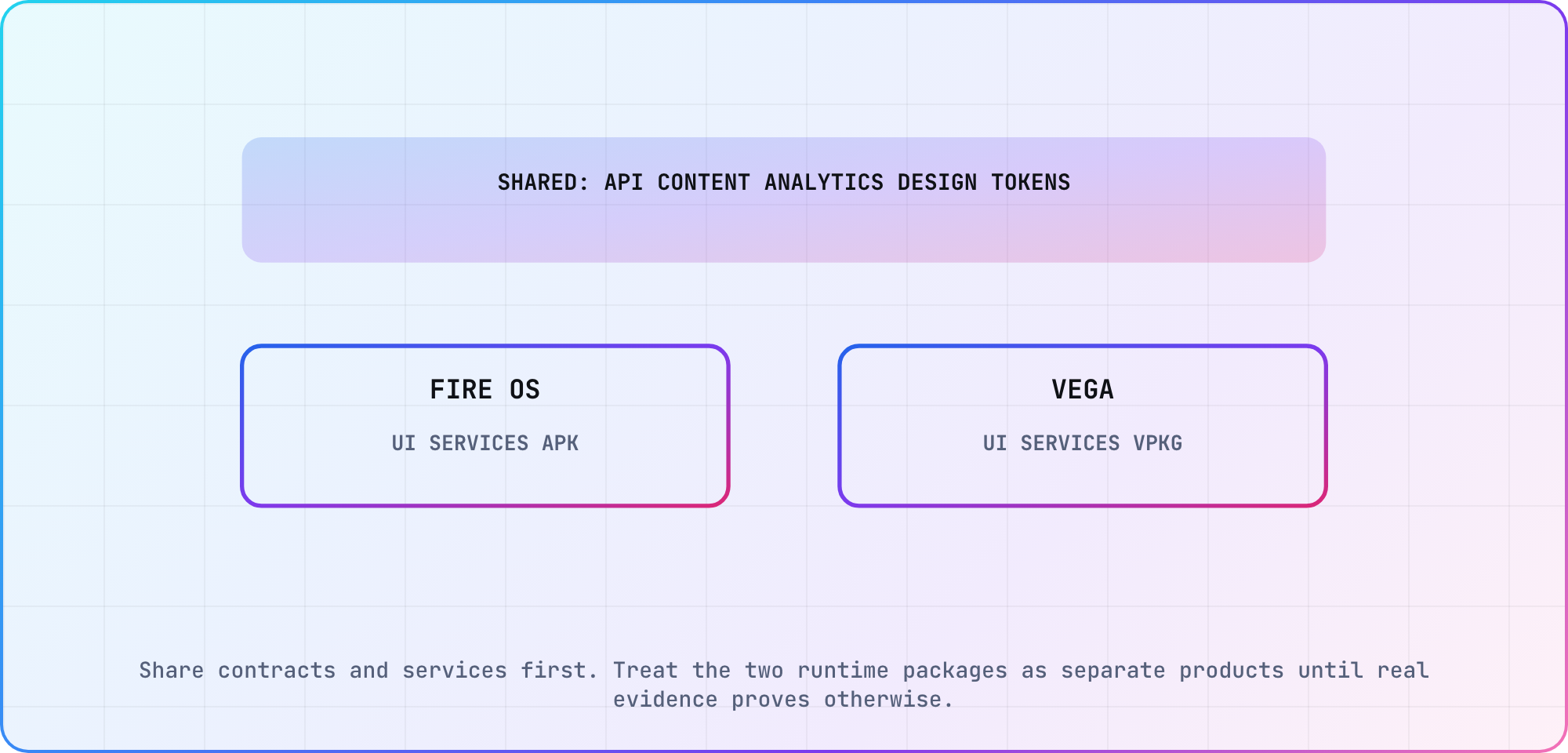
Share contracts and services first; keep Fire OS and Vega packages separate until your own build evidence proves a safe boundary.
There is a first-party Appium Vega Driver. It runs against both the Vega Virtual Device and a real Fire TV Stick, it has Python, Java and JavaScript clients, and Appium Inspector works against it, so you can actually look at the tree you're writing selectors for rather than guessing.
Arm the automation toolkit on the device, then start Appium the usual way:
vega exec vda shell "touch /tmp/automation-toolkit.enable"
appium
The capabilities are where that old codename resurfaces:
const caps = {
  platformName: 'Kepler',                                  // yes, still Kepler
  'appium:automationName': 'automation-toolkit/JSON-RPC',
  'kepler:device': 'vda://default',                        // or a real device
  'appium:appURL': '<your app>',
};
Locators are XPath-shaped against the React Native tree, so you'll be writing things like //children[@test_id="card169309"], and the write-tests guide shows getElementRect() and execute_script() in use.
So, what's this mean if you've already got a suite? Your Fire TV tests are a rewrite rather than a port. The framework survives, which is genuinely the good outcome here, but the driver changes and every locator you own was written against an Android view hierarchy that doesn't exist anymore. Budget it as its own project, not as a sprint of cleanup.
Beyond Appium, Amazon's SDK overview lists the VDA utility for installing and running apps on devices, Chrome DevTools for JavaScript debugging, and Charles for network inspection. There's a version wrinkle on Chrome DevTools: the SDK 0.24 release notes say it isn't supported when you target RN 0.83, so you'd debug with React Native DevTools there instead. The separate test tools overview adds App Tester for unit testing in-app purchases in sandbox mode, Appstore DevTest for managing test users and simulating purchase transactions, and Live App Testing for putting a build in front of real testers before release.
Submission, and the IAP trap
Submission itself is mercifully boring, which is how you want it. Per Amazon's app submission guide: "You submit a Vega OS app through the Developer Console using the same submission process as you do for Fire OS apps," and "You must have a VPKG file available as an app binary."
Two things in there are easy to miss and expensive to discover late.
Register the main category. Your app must register com.amazon.category.main in the app manifest. Without it, per the docs, "your app can't launch from the Fire TV Home launcher." An app that installs and then can't be opened from the home screen is a rough way to spend an afternoon.
Do not submit Vega as a separate app if you sell anything. This is the one I would tattoo on the team. Amazon's guidance is explicit: "If you have an existing Fire OS app that uses in-app purchases, don't submit the Vega OS version as a new app." Keep the same listing and your in-app purchase items are automatically available to both Fire OS and Vega builds. Split them and you set up IAP items twice, and worse, in Amazon's words, "if you submit the Vega OS binary as a separate app, the purchases for existing customers won't be available in the new app." That's a support queue you really don't want.
Live App Testing supports both APK and VPKG binaries, so you can push to tester groups and iterate before publishing, then use "promote to upcoming" when you're ready. Give each binary type its own test, as Amazon recommends, because a test that mixes APK and VPKG loses the "promote to upcoming" option.
And one hard requirement from Amazon's run guide, quoted because people keep hoping otherwise: "Use Vega Virtual Device for initial development and testing. Before you submit to the Amazon Appstore, you must test your app on a Fire TV device." It is the same lesson every TV platform teaches. The emulator tells you about your code. The cheap real device tells you whether you ship.
What this means strategically
Three things worth saying plainly.
Amazon removed Google from its stack. Fire OS was an AOSP fork, which meant inheriting Android's cadence and Google's decisions. Owning the platform means Amazon controls the update cycle and how Alexa, Prime Video and its ad business integrate. That is the actual motivation, and it tells you this isn't a trial balloon.
React Native for TV just got a serious endorsement. If you were weighing native-per-platform against React Native, Amazon has put real weight on one side of the scale. A React Native codebase now has a plausible path to Fire TV, Android TV and tvOS, with Vega as a first-class target rather than a port.
Consumer sideloading looks finished. Press coverage reports that Vega devices install from the Amazon Appstore only. Amazon's developer docs cover the developer case (dev mode, non-Amazon package IDs) and don't speak to the consumer case, so I'm marking this one as reported rather than documented. If your distribution strategy quietly depended on users sideloading onto Fire TV sticks, go and verify it yourself before you plan around it.
What I would do now
If you ship a React Native TV app, get something running on the Vega Virtual Device this quarter. Most of your code should move, and you want to hit the platform-edge problems while this is still optional rather than when a device refresh makes it urgent.
If you ship a native Android Fire TV app, scope a rebuild rather than a migration, and put it on the calendar with a full test-suite rewrite against the Vega driver alongside it.
If you're choosing a device cloud right now, ask what their Vega plan is and get it in writing. Suitest lists Vega among its supported platforms, and Witbe says it already supports testing on Vega OS Fire TV devices. For anyone else, find out whether "we support Fire TV" means Vega hardware or Android-based sticks driven through UiAutomator2, because it's about to mean two different things.
If Fire TV is a small slice of your reach, do nothing yet, but set a reminder. This is a multi-year transition and Android-based Fire TV devices will be in service for a long while.
Frequently asked
Is Vega OS based on Android?
No. Fire OS is an Android fork; Vega is a separate runtime with a different package, CLI and application framework. Trade reporting describes it as Linux based, while Amazon's SDK docs focus on the supported toolchain rather than kernel lineage. Plan from the documented differences: no APK, ADB or UiAutomator2 path on Vega.
What language do you write Vega apps in?
Vega applications use React Native for Vega. On Vega OS 1.2, Amazon documents an established React Native 0.72 runtime and an early access React Native 0.83 runtime in SDK 0.24. The dependencies in your project determine the resolved runtime, while Vega's build checks enforce compatibility with the OS range in your manifest.
Does ADB work on Vega OS?
No. Use the vega CLI for device discovery, install, launch, shell access and virtual device work. Fire OS devices still use the Android toolchain, so keep the two operational paths explicit in scripts and runbooks. A command that succeeds against an APK target says nothing about the equivalent VPKG target.
Can you automate Vega OS apps?
Yes. Amazon provides Appium Vega Driver for Vega Virtual Device and supported Fire TV hardware. Current sessions use the documented JSON-RPC automation name and a VDA device identifier. Existing UiAutomator2 tests still need new capabilities and locators because the Android view hierarchy and package do not carry into the Vega runtime.
Do I submit a Vega app separately from my Fire OS app?
Amazon recommends the same app listing when you target both runtimes. The listing shares metadata, reviews and in-app purchase items. A separate Vega listing creates separate entitlements, so existing customers would not automatically retain paid access. Match the Fire OS and Vega package names and keep each binary's version sequence moving forward.
Why won't my Vega app launch from the Fire TV home screen?
Check that the manifest registers com.amazon.category.main. Amazon requires that category for Home launcher discovery and Appstore submission. Then verify the component ID, install the exact VPKG you built, and launch it with the current vega command. A successful package install does not prove the Home launcher can discover its main component.
Sources
- Amazon, Vega developer documentation and SDK overview
- Amazon, React Native for Vega overview
- Amazon, CLI reference and enable developer mode
- Amazon, run your app on Vega Virtual Device or Fire TV
- Amazon, Appium setup, writing tests, Appium Inspector, test tools overview
- Amazon, app submission for Vega and Live App Testing
- Press coverage for the architecture and consumer-sideloading claims: Broadband TV News, It's FOSS News, Lowpass
Related: Appium on TV: which features actually work on each TV OS, CTV automation capability matrix, and the Connected TV release-readiness checklist.
Keep reading
Remote Smart TV Testing Without a Local Device Lab
Compare remote smart TV testing by exact hardware coverage, interaction depth, private-network access and evidence capture, then keep a small local smoke kit.
Samsung Tizen TV Test Automation: Limits and Workarounds
Automate Samsung TV build, signing, install and evidence capture while keeping device focus and playback verdicts outside unsupported official UI automation.