CTV automation capability matrix, platform by platform
A CTV automation capability matrix for Roku, tvOS, Fire TV, Android TV, Tizen, webOS and Vizio, plus which Appium driver and server version each one needs.
Appium's driver catalog was updated on 1 October, and if your TV test plan says "we'll just use Appium," it's worth a fresh look. Version 3.8 lists exactly three official drivers with a TV target: Espresso, UiAutomator2 and XCUITest. That sounds generous until you notice they cover two platform families, Apple's tvOS and Android (Fire OS included), and that the current drivers for Roku, Samsung Tizen, LG webOS and Amazon's Vega OS all still need the older Appium 2 server. So today, a suite that spans the seven platforms a typical OTT app ships to needs two separate Appium installs.
This is the map of what you can automate on each of those seven platforms, which driver or protocol does the work, and which evidence still has to come from a real TV.
How to read the matrix
The axes are platforms against the capabilities that decide whether a suite stays maintainable:
- Element inspection: can you query a live tree of components, or are you comparing pixels?
- Locator quality: stable ids, or XPath and coordinates?
- Remote key injection: how do you press Down?
- Deep link launch: can you jump straight to a screen and skip the navigation?
- Screenshot: what's your fallback when inspection fails?
- Log and performance capture: can you get a stack trace and a memory number out of a failed run?
- CI target: does this run in a pipeline, or does it need a human in a room?
The CTV automation capability matrix
| Capability | Roku | Apple tvOS | Android TV | Fire TV | Samsung Tizen | LG webOS | Vizio SmartCast |
|---|---|---|---|---|---|---|---|
| Element inspection | Partial: query/sgnodes in dev mode | Full: XCUITest tree | Full: view hierarchy | Fire OS: view hierarchy. Vega: page source | DOM via Web Inspector | DOM via Web Inspector | No public surface |
| Locator quality | XPath over the node tree | Accessibility id | resource-id | resource-id | CSS selectors | CSS selectors | Image only |
| Remote key injection | ECP keypress over HTTP | mobile: pressButton | adb shell input keyevent | keyevent (Fire OS), press_keycode (Vega) | Driver remote API or JS key events | Driver remote API or JS key events | IR blaster or HDMI-CEC |
| Deep link launch | launch/<id>?contentId= | Yes, URL schemes | Yes, intents | Yes, intents | Yes, app control | Yes, launch params | No public API |
| Screenshot | Dev-channel UI only, no playback | Yes | Yes | Yes | Via DevTools | Via DevTools | HDMI capture card |
| Log capture | Telnet port 8085 | Device console | adb logcat | adb logcat (Fire OS) | Web Inspector console | Web Inspector console | None public |
| Performance counters | query/chanperf, query/r2d2-bitmaps | Instruments | Perfetto, dumpsys | Perfetto, dumpsys (Fire OS) | DevTools profiler | DevTools profiler | None public |
| CI target | RCE or device | Simulator or device | Emulator or device | Fire OS device, or Vega Virtual Device | Emulator or device | Emulator or device | Device only |
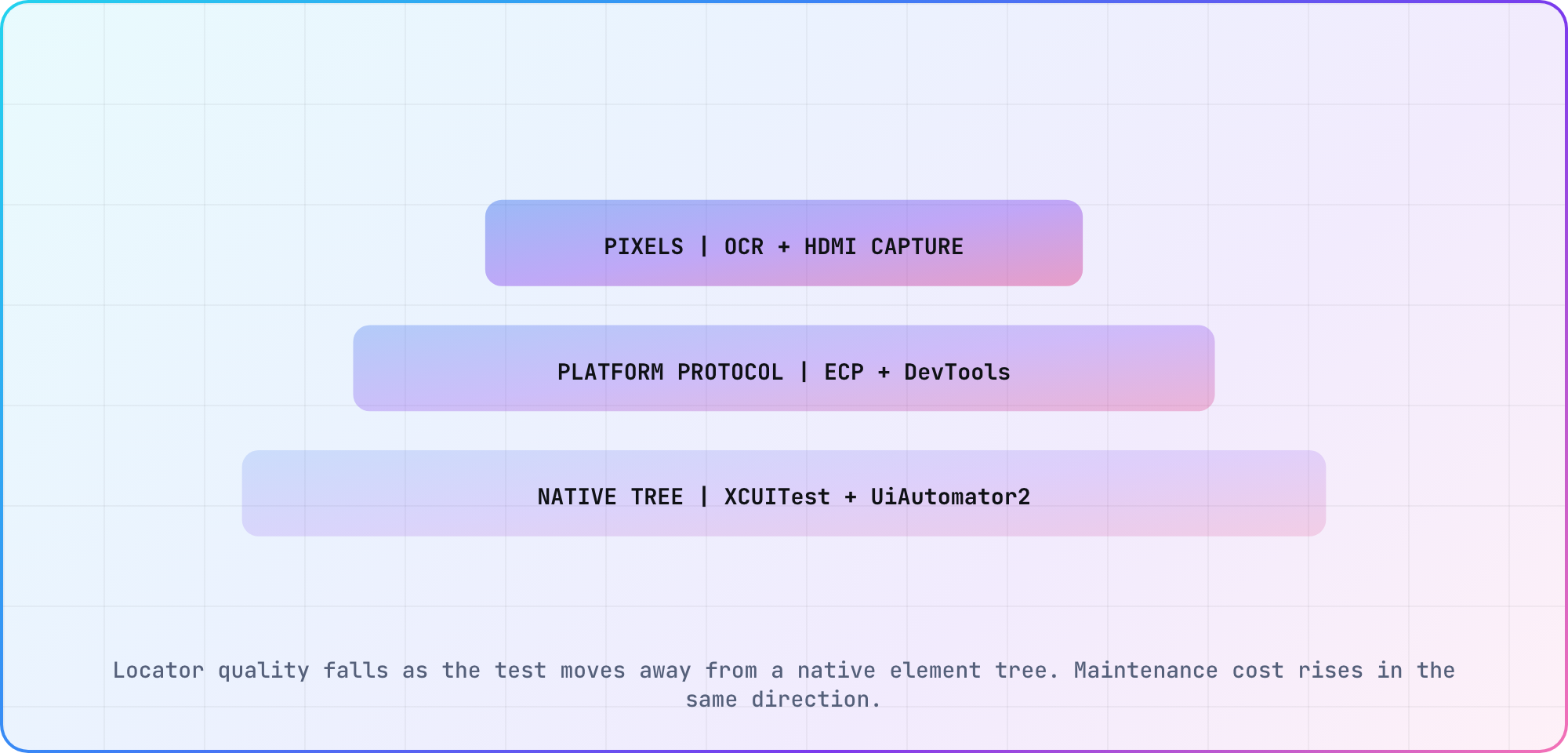
The layers describe locator and evidence quality. They do not imply that a pixel-based service cannot produce a useful, maintainable suite.
tvOS and Android TV are green almost all the way down, and Fire TV stays green for as long as it's running Fire OS. Roku is workable through its own protocol, Tizen and webOS are a fight, and Vizio is pixels from start to finish.
Appium on TV, driver by driver
If your test plan names Appium as the framework, here's what its catalog and the driver packages say about each platform, as of Appium 3.8:
| Platform | Driver | Maintained by | Latest release | Appium server |
|---|---|---|---|---|
| Apple tvOS | XCUITest | Appium team | 12.18.1 (Oct 2026) | 3.x |
| Android TV, Google TV, Fire OS | UiAutomator2 | Appium team | 8.7.0 (Sep 2026) | 3.x |
| Android TV, Google TV, Fire OS | Espresso | Appium team | 9.3.6 (Sep 2026) | 3.x |
| Fire TV on Vega OS | Appium Vega Driver | Amazon | 3.33.1 (Aug 2026) | 2.x (Amazon pins 2.2.2) |
| Roku | Roku | HeadSpin | 2.7.0 (Nov 2024) | 2.x |
| Samsung Tizen TV | TizenTV | HeadSpin | 0.18.1 (Jan 2025) | 2.x |
| LG webOS | LG WebOS | HeadSpin | 0.5.0 (Jan 2025) | 2.x |
| Samsung Tizen (legacy) | Tizen | Community / Samsung | 1.1.1-beta.5 (May 2020) | 1.x only |
| Vizio SmartCast | None listed |
Ownership comes from the Appium 3.8 catalog, where UiAutomator2 and Espresso both target "Android applications (mobile, TV, Wear, XR, Automotive)" and XCUITest targets "iOS, iPadOS, tvOS, watchOS applications." Before the 1 October docs change, Espresso just said "Android applications," which is why older guides count two official TV drivers. Fire OS rides along because Amazon describes it as based on a fork of the Android Open Source Project. The Vega driver isn't in Appium's catalog at all.
Now look at the last column. XCUITest went Appium 3 only at version 10.0 and UiAutomator2 at 5.0, both in August 2025, and every release since declares an Appium 3 peer dependency. HeadSpin's Roku, TizenTV and LG WebOS drivers haven't shipped a release since late 2024 and early 2025, and all three still declare Appium 2. Appium 3.8's installer checks that range before it installs a driver from npm, and when it doesn't match, the error says the driver "cannot be installed because the server version it requires" isn't the one you're running. (I'm reading that from the installer source, not from a run.)
So you've got two options. Run two Appium servers, a 3.x for tvOS and Android and a 2.x for Roku, Tizen, webOS and Vega, or pin XCUITest 9.10.5 and UiAutomator2 4.2.9, the last releases that accept Appium 2, and give up more than a year of driver fixes. I'd run two servers. It's more plumbing, but your Apple and Android lanes keep getting updates.
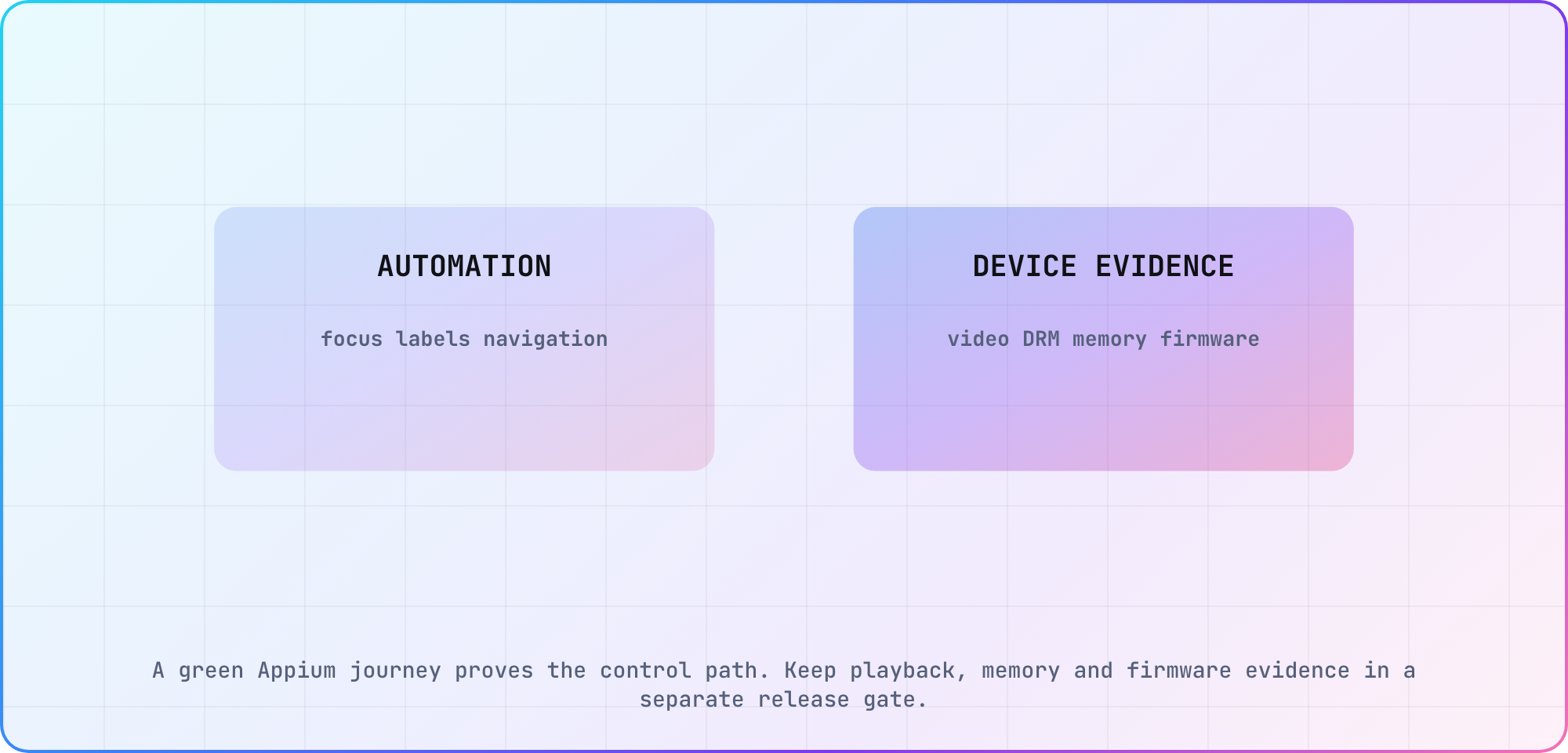
This is an evidence boundary. Automation results stay useful when the release packet says which claims came from the driver and which came from hardware.
Per-platform reality
Roku: a protocol, with a third-party driver on top
Roku's automation surface is the External Control Protocol, a RESTful API on port 8060 that a device advertises over SSDP. You get keypress, keydown, keyup, launch, query/device-info and query/media-player, and with developer mode on you also get query/sgnodes for the SceneGraph node tree, query/chanperf for CPU and memory, and query/r2d2-bitmaps for texture memory. Since Roku OS 14.1, the key commands need "Control by mobile apps" enabled, and the developer-mode queries need that setting plus developer mode. (Separately, Roku's Static Analysis now blocks any app that contains ECP commands from publishing.)
ECP has no screenshot command, but that doesn't leave you blind. The screenshot utility in Roku's developer web tools grabs a 1280x720 image of your sideloaded app's UI, though not of content playback. HeadSpin's Appium Roku driver exposes the same thing as getScreenshot, "only available if the sideloaded dev app is active," and its README warns that video is left out for DRM reasons. If you need playback pixels or a store build on screen, you're back to an HDMI capture card.
Roku's own automated channel testing framework wraps ECP behind a Selenium-based WebDriver server that takes JSON Wire Protocol requests and translates them into ECP. It needs Roku OS 9.1 or later and a sideloaded app on a device whose IP you know, ships Robot Framework and JavaScript libraries, and its changelog stops at v2.3.0 in September 2021. HeadSpin's driver talks to ECP and the dev web interface itself, and its README doesn't hide its opinion of Roku's version, which "doesn't respect the WebDriver standard, nor is it Appium-compatible." Locators on HeadSpin's driver are XPath only.
Roku Cloud Emulator gives CI a virtual Roku, and Roku pitches it for "CI/CD merges and nightly testing." Read the fine print before you plan around it, though. It's still in a phased rollout, the free part is a 5-hour trial for individual developer accounts before you need an AWS Marketplace subscription, it "currently supports US-based devices only," and it doesn't emulate suspend and resume. Roku also says virtual devices "are not intended for real-world platform, speed, and performance testing," so playback, memory and HDMI evidence still come from hardware. I've covered the no-hardware Roku workflow separately.
Apple tvOS: the best story on TV
tvOS gets the closest thing to phone automation you'll find on a TV, thanks to one trick in the driver that I'll get to in a second. The XCUITest driver's tvOS guide (driver 12.18) asks for one real change to your capabilities:
const caps = {
  platformName: 'tvOS',                 // not 'iOS'
  'appium:automationName': 'XCUITest',
  'appium:deviceName': 'Apple TV',      // your simulator's name
  'appium:platformVersion': '26.0',
  // real devices also need 'appium:udid'
};
There's no touch on tvOS, so input goes through the focus engine and the mobile: pressButton extension, which supports "over 10 different buttons":
await driver.execute('mobile: pressButton', { name: 'Down' });
await driver.execute('mobile: pressButton', { name: 'Select' });
await driver.execute('mobile: pressButton', { name: 'Menu' }); // works as Back
Every action lands on the focused element. The nice surprise is that a plain findElement().click() still works, because the driver will "automatically calculate the necessary sequence of up/down/left/right and select button presses" to walk focus there. You write phone-shaped test code and the driver does the D-pad choreography.
The limits are short and absolute. The guide's Known Limitations say "Gesture commands do not work" and "Certain commands such as pasteboard do not work." Real hardware takes more setup, and it depends on the tvOS version. On tvOS 18 and later the guide recommends Remote XPC tunnels (driver 10.30.0 or newer with appium-ios-remotexpc 0.13.0 or newer), though you can fall back to the tvOS 17 method, which it calls "limited and less reliable." tvOS 17 starts the server with APPIUM_XCUITEST_PREFER_DEVICECTL=1, then adds appium:wdaBaseUrl on Xcode 26.1 or newer, or attaches to a WebDriverAgent you launched yourself on Xcode 26.0.1 or older. Wireless tvOS 16 and earlier "have not been officially tested," and a wired Apple TV HD sets up like an iPhone. That's why I'd keep most of a tvOS suite on the simulator and give real hardware a short lane.
Android TV and Fire TV: normal Android, mostly
UiAutomator2 covers both, with a full view hierarchy, resource-id and accessibility-id locators, XPath if you must, screenshots and video recording, while the Android platform tools add adb logcat and Perfetto traces. D-pad input is just key events, either through the driver or straight from the shell, which is how most of us debug:
await driver.pressKeyCode(20); // KEYCODE_DPAD_DOWN
await driver.pressKeyCode(23); // KEYCODE_DPAD_CENTER
await driver.pressKeyCode(4);  // KEYCODE_BACK
adb connect 192.168.1.42:5555
adb shell input keyevent KEYCODE_DPAD_DOWN
The TV-specific trap is focus. An element being present and an element being focused are different states, and a test that only checks presence will happily pass while D-pad navigation is broken. UiAutomator2 exposes a focused attribute, so assert that getAttribute('focused') returns "true" on the element you expect to be highlighted. Our Appium Android TV setup guide walks through the rest of the session.
Fire TV inherits all of this because Fire OS is an Android fork, so check which Android level your target actually runs. BrowserStack's smart TV list still pins its Fire TV Stick 4K at Android 7.1.
Fire TV's Vega OS transition changes this table
Everything above assumes Fire OS. Amazon's Vega OS launch post says "We adopted Linux components as our foundation," and Vega apps are either React Native for Vega or web apps inside Vega WebView. They run as .vpkg packages rather than APKs, and you submit them through the same Developer Console process as Fire OS apps. ADB, UiAutomator2 and logcat are Android facilities, so they don't carry over.
Amazon didn't leave a hole, though. The Vega SDK includes an Appium Vega Driver that runs against a Fire TV Stick or the Vega Virtual Device, with test clients in Python, Java and JavaScript and Appium Inspector support. The session capabilities look nothing like UiAutomator2's:
const caps = {
  platformName: 'Kepler',                    // Vega's internal name
  'appium:automationName': 'automation-toolkit/JSON-RPC',
  'kepler:device': 'vda://default',          // or vda://<device serial>
  'appium:appURL': 'com.amazon.keplervideoapp.main',
};
Before the first session, arm the automation toolkit with vega exec vda shell "touch /tmp/automation-toolkit.enable" (it's in the setup guide). The command reference documents get_page_source, press_keycode and get_screenshot, so inspection, input and screenshots survive the move. The catch is the server. Amazon's install guide pins Appium 2.2.2 and an older driver build:
npm install -g appium@2.2.2
appium driver install --source=npm @amazon-devices/appium-kepler-driver@3.30.0
Every UiAutomator2 test you own is a rewrite for Vega, so plan it as migration work. If Vega is on your roadmap and you're shopping for a device cloud, ask for Vega devices by name: Suitest lists Vega on its features page, and BrowserStack's TV list doesn't include a Vega device. Our Vega OS guide covers the rest of the move.
Samsung Tizen and LG webOS: web apps behind a locked door
Both are web platforms with a browser-style inspector, which sounds like it should make automation easy. Samsung's Web Inspector page says "All Samsung TVs since 2015 support the Web Inspector," and on webOS, ares-inspect --device myTV --app com.domain.app --open opens Web Inspector in your PC's browser. In practice:
- Developer access works differently on each. LG's Developer Mode app "enables for a limited time," and you have to hit EXTEND before the session runs out. Samsung's developer mode is switched on per TV against your PC's IP address, and installs need a certificate profile.
- Old webOS needs an old Chrome. LG's compatibility table lists the latest Chrome for webOS TV 6.0 through 24, but Chrome v68 for webOS 4.x and 5.0 (2018 to 2020 sets) and Chrome v38 for 3.x and earlier. Open the inspector in a newer Chrome and LG's FAQ describes what you'll get: a blank page and "Uncaught TypeError: document.registerElement is not a function." Samsung's Web Inspector page asks for Chrome but names no version.
- Old engines lock out the drivers. Samsung's web engine table puts 2015 and 2016 sets (Tizen 2.3 and 2.4) on WebKit, then Chromium from M47 in 2017 to M130 in 2026. HeadSpin's TizenTV README says WebKit models and models with Chrome 57 or lower can't use its chromedriver mode, so on 2015 through 2018 sets you're limited to remote-control commands with no element lookup. HeadSpin's LG driver needs "a very old version of Chromedriver" (2.36 in HeadSpin's testing) because most LG TVs run an old Chrome.
That engine spread means a selector that works on a 2024 set can fail on a 2018 one for reasons that have nothing to do with your app. Appium has no official driver for either platform. HeadSpin maintains TizenTV and LG WebOS (both on Appium 2, per the table above), and the older Tizen driver, listed as "Community / Samsung," "has not been maintained since 2020 and is only compatible with Appium 1."
One input difference to plan for: LG's Magic Remote has a pointer mode where "the remote control works similarly to a mouse," and Samsung documents touch on some models plus mouse and touchpad input. A suite that only presses arrow keys never exercises the pointer path on either platform. For webOS end to end, see LG webOS app testing, and for Samsung without hardware, testing on a Samsung TV without buying one.
Vizio SmartCast: image comparison and nothing else
Vizio runs a Preferred Developer Program for partners, but its developer portal is an SSO sign-in page, so there's no public runtime documentation I can point you to. What I can point to is absence on the complete lists: Appium's catalog has no Vizio driver, and BrowserStack's TV list has no Vizio device. Without a public automation API, control falls back to an IR blaster or HDMI-CEC, and assertions fall back to HDMI capture plus image diff or OCR, backed by proxying network traffic and asserting on requests. Suitest and HeadSpin both list Vizio, and my guess is they're doing a version of this behind the curtain, so ask them and price it as what it is.
Where device clouds actually earn their fee
Read the matrix again and look at the weak cells: Roku playback pixels, Tizen and webOS drivers stuck on Appium 2, and Vizio everything. Those cells are what the TV device clouds are really selling.
Suitest's features page names nearly twenty targets, from HbbTV and Freeview Play through Android TV, Apple TV, Fire TV, Roku, Tizen, webOS, Vega, VIDAA, Vizio, Xfinity and Xumo to Xbox and PlayStation, and fills inspection gaps with "OCR and image template matching." HeadSpin maintains the three third-party Appium drivers for Roku, Tizen and webOS, and its smart TV page lists Samsung (Tizen), LG (WebOS) and Vizio. So you'll find Tizen and webOS coverage at both.
BrowserStack is narrower, and its smart TV support is still an alpha you request from support: Amazon Fire TV Stick 4K (Android 7.1), Nvidia Shield TV Pro 2019 (Android 11.0), Apple TV 4K (tvOS 26) and Roku TV (RokuOS v15+). Its Roku lane points you to HeadSpin's driver, and "Roku TV requires Appium version 2.18.0." There's no Tizen or webOS device on the list.
If your reach plan is tvOS, Android TV, Fire TV and Roku, a general-purpose cloud can cover it once you've got alpha access. The moment Samsung and LG are in scope, you're shopping in a much smaller market. A driver-based cloud also hosts the Appium servers, so the version split is mostly its problem, although you still ask for the version it names (2.18.0 for Roku). I put the two side by side in Suitest vs BrowserStack.
Building a plan around this
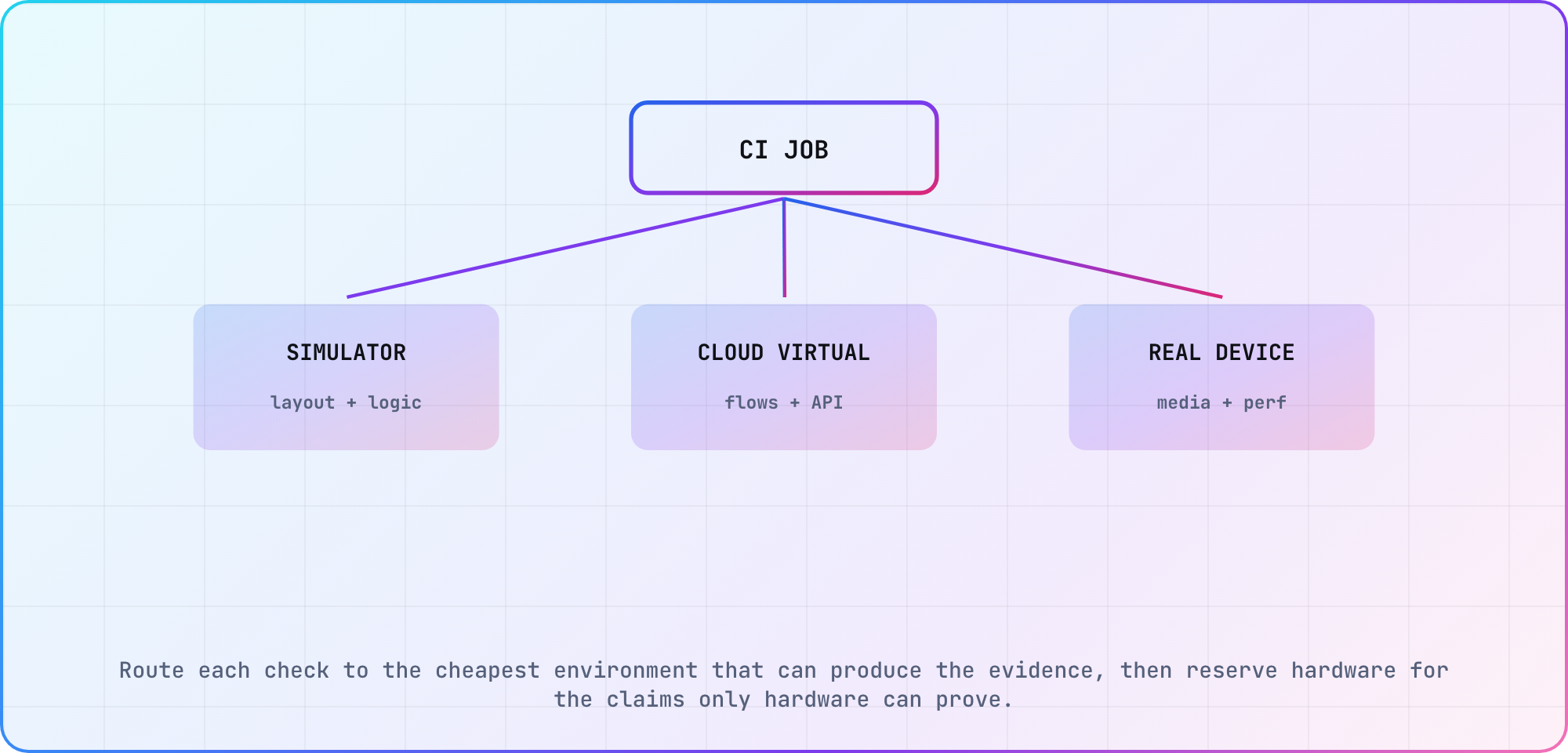
This routing model is illustrative: send each check to the least expensive environment that can produce the evidence the release claim needs.
Here's the order I'd add platforms in:
- Automate tvOS and Android TV first. Official drivers on one Appium 3 server, simulators and emulators, cheap CI. Get real coverage here before touching anything else.
- Add Fire TV. Fire OS reuses the UiAutomator2 suite on a real device. If Vega is on your roadmap, stand up the Appium 2.2.2 server and Vega Virtual Device now, because those tests get written from scratch.
- Add Roku on an Appium 2 server. Drive it through ECP or HeadSpin's driver, put functional CI on RCE if you've got access (it's paid after the 5-hour trial and US only), and keep physical lanes and HDMI capture for playback, performance and firmware evidence.
- Buy Tizen and webOS. Building this in house means owning firmware generations, old Chromedriver builds and Appium 2 drivers that haven't shipped since January 2025. Almost nobody should.
- Smoke-test Vizio manually. Image-diff automation there rarely pays for itself unless Vizio is a top-three platform for you.
Estimate against the driver table rather than the vendor demo. Three official Appium drivers cover two platform families on one server, and everything else needs a second server, a vendor protocol or pixels. What a device-cloud conversation changes is how much of that second half you're paying somebody else to run.
Frequently asked
Which TV platforms can you actually automate? All seven, to different depths. Apple tvOS and Android TV get official Appium drivers and a real element tree, and Fire OS inherits Android's tooling. Roku works through ECP, Roku's WebDriver or HeadSpin's driver. Tizen and webOS need HeadSpin's Appium 2 drivers or a DevTools bridge, Vega has Amazon's own driver, and Vizio has no public automation surface.
Does Appium work on Roku? Yes, through HeadSpin's third-party Roku driver rather than an official one. It talks to Roku's External Control Protocol on port 8060, finds elements by XPath only, and takes screenshots only while your sideloaded dev app is active. It still declares Appium 2, so it won't install on Appium 3.8, and BrowserStack runs it on Appium 2.18.0.
Can one Appium server run every TV platform? Not with current releases. XCUITest 10.0 and later and UiAutomator2 5.0 and later need Appium 3. HeadSpin's Roku, TizenTV and LG WebOS drivers declare Appium 2, and Amazon's Vega install guide pins Appium 2.2.2. Run two servers, or pin XCUITest 9.10.5 and UiAutomator2 4.2.9 and give up a year of fixes.
Why is Samsung Tizen so hard to automate? Developer mode is switched on per TV against one host IP, installs need a Samsung certificate profile, and Samsung's engine table runs from WebKit on 2015 and 2016 sets through Chromium M47 to M130. HeadSpin's TizenTV driver can't use chromedriver on WebKit or Chrome 57 and older sets, and Appium has no official Tizen TV driver.
Which Appium driver do I use for Apple TV?
XCUITest, with platformName set to tvOS. Remote buttons go through mobile: pressButton, and findElement().click() works because the driver calculates the D-pad path for you. The XCUITest driver's tvOS guide says gesture and pasteboard commands don't work. Keep simulator and real-device results separate, since playback and lifecycle behavior can differ.
Do I need real devices for CTV automation? Yes, for release evidence about playback, performance, memory, firmware, remote hardware or HDMI output. Functional checks can run earlier on tvOS and Android simulators, Roku Cloud Emulator, Tizen and webOS emulators, or Vega Virtual Device. Roku says its virtual devices aren't meant for performance testing, so label every result with the environment that produced it.
Sources
- Appium, driver catalog (3.8), 1 October catalog change, installer compatibility check (3.8.0) and XCUITest driver tvOS guide (12.18)
- Appium team driver releases: XCUITest, UiAutomator2 and Espresso
- HeadSpin, Roku driver, TizenTV driver, LG WebOS driver and smart TV testing
- Roku, Cloud Emulator, External Control Protocol, automated channel testing and developer setup
- Amazon, Vega Appium install, sessions, setup, commands, Vega WebView and Fire TV overview
- Samsung, web engine specifications, Web Inspector, TV device setup and input methods
- LG, CLI developer guide, Developer Mode app, FAQ and Magic Remote
- BrowserStack, Smart TV app automate
- Suitest, features
Related: How to test an OTT app across every smart TV platform, How to test a Roku app without a physical device, and LG webOS app testing: the complete workflow.
Keep reading
Remote Smart TV Testing Without a Local Device Lab
Compare remote smart TV testing by exact hardware coverage, interaction depth, private-network access and evidence capture, then keep a small local smoke kit.
Samsung Tizen TV Test Automation: Limits and Workarounds
Automate Samsung TV build, signing, install and evidence capture while keeping device focus and playback verdicts outside unsupported official UI automation.