Roku certification checklist: the numbers Roku actually measures
A Roku certification checklist built from the numbers Roku actually measures, plus the tooling it hands you and what the criteria never say.
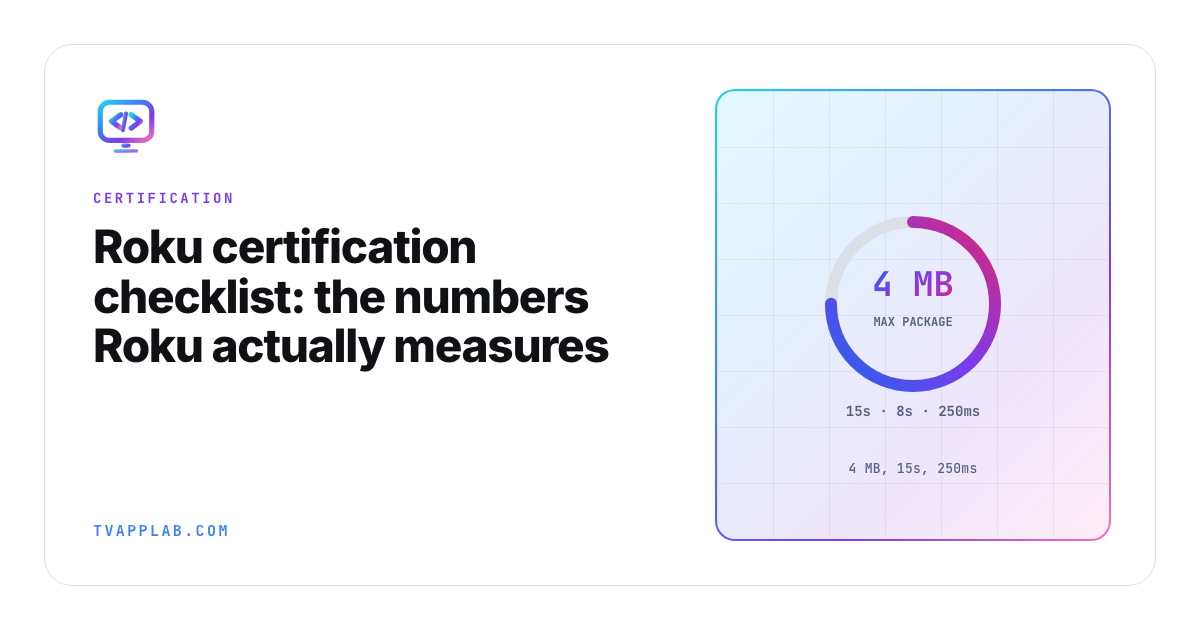
Here is my favorite line in Roku's certification criteria, and I mean that sincerely: "The app's file size must be 4 MB or less."
Four megabytes. Criterion 3.7. Not your video, not your artwork, the package itself.
I like it because of what it tells you about Roku as a platform partner. Where Samsung and LG will review your app and tell you afterward whether it passed, Roku hands you the ruler first. The criteria are numbers with units attached, which makes Roku the one TV store you can genuinely self-audit before you submit. If you can measure it, you can pass it, and Roku even ships tooling to do the measuring (more on that below, because a surprising number of teams have never opened it).
So let's walk the numbers, then the parts of the process that are less obvious, and then, because it matters just as much, the things people believe about Roku certification that the criteria don't actually say.
The Roku certification checklist, by the numbers
Every one of these is measurable on your desk this afternoon, with criterion numbers so you can cross-reference against the source.
| Criterion | Requirement | How to check it |
|---|---|---|
| 3.2 | Home screen fully rendered within 15 seconds of launch | Measure on a Roku Express, not an Ultra |
| 3.3 | Scene-to-scene transitions within 3 seconds | Stopwatch on the slowest device you support |
| 3.4 | Loading indicator for anything over 3 seconds; response to a user request within 10 seconds | Throttle the network and watch |
| 3.5 | Remote button presses and tile navigation respond within 250 ms | The one users actually feel |
| 3.6 | Playback starts within 8 seconds of initiation | Cold, warm, and after a network blip |
| 3.7 | App file size 4 MB or less | ls -la on your zip |
| 4.7 | Trick-play thumbnails for VOD longer than 15 minutes | Any long-form content |
| 6.4 | Splash screen supports FHD 1920x1080 and HD 1280x720, no transparency | Check the alpha channel |
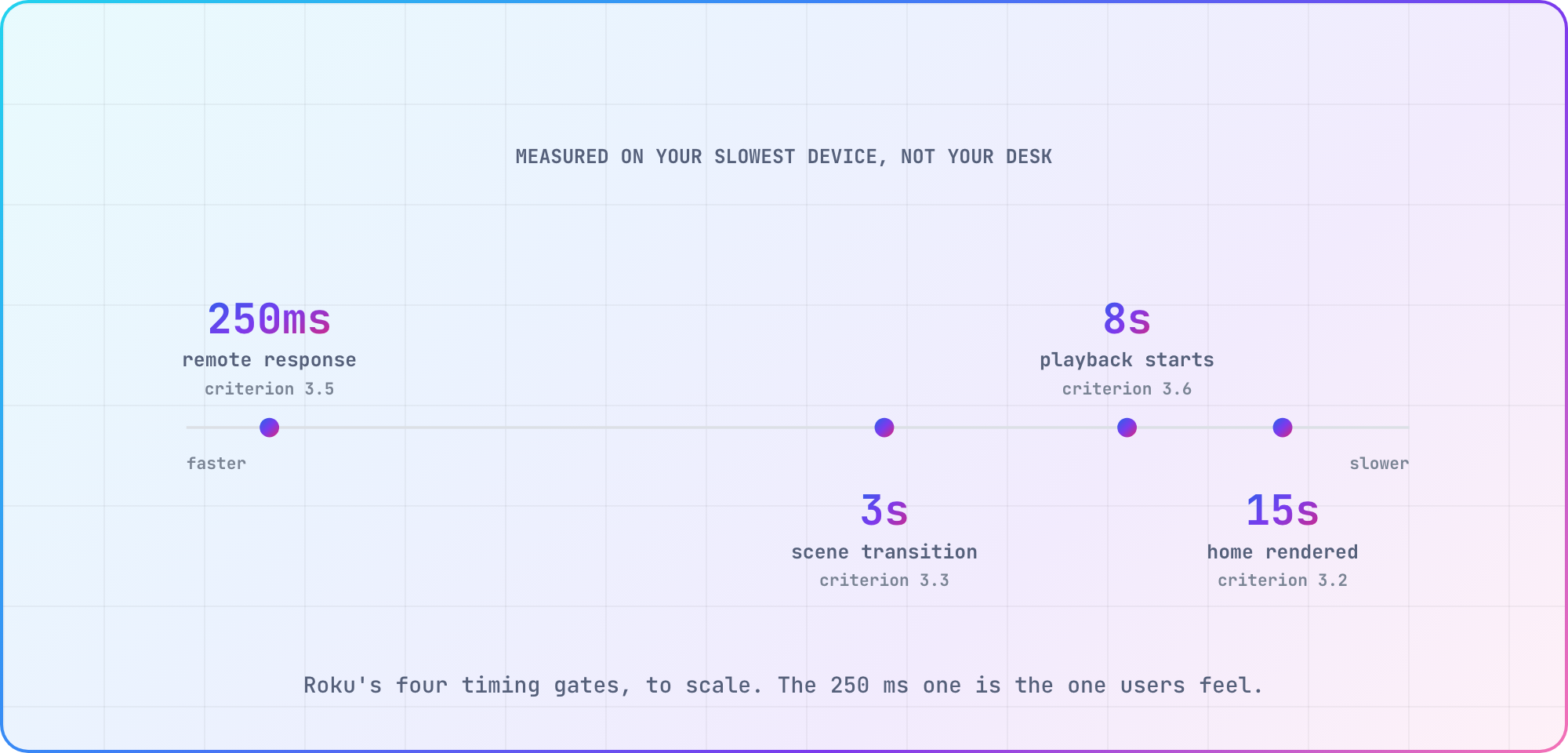
The 15-second and 250-millisecond gates are the two that fail teams, and they fail for the same boring reason every time: development happens on a Roku Ultra and certification happens against the whole fleet. A Roku Express costs about $30. Buy one before you submit rather than after you get rejected.
The 4 MB limit deserves its own paragraph, because it catches everyone exactly once. Think about what that number forces architecturally: your package is BrightScript, SceneGraph XML and the minimum images needed to bootstrap, and everything else (posters, artwork, fonts, streams) has to come off the network at runtime. If you're near the ceiling, compression isn't the answer. Moving assets out is.
The tooling Roku gives you, which you should be using
This is the part I want to push hardest, because the pre-certification testing docs are genuinely underused. Roku's own framing is that developers are "expected to use the Static Analysis and App Behavior Analysis tools, the list of pre-certification tests, and the certification criteria to guide internal quality assurance testing before submitting an app to Roku for review."
- Static Analysis tool. Checks "the app's code for certification-related errors." Run it before every submission, and ideally in CI.
- App Behavior Analysis tool. Verifies that "app performance and deep linking meets certification requirements," specifically for SVOD, AVOD and free apps. This is the one that measures the gates in the table above so you don't have to hold a stopwatch.
- Test automation software. Lets you "write and execute automated test cases, including app purchasing, performance, deep linking, and other certification criteria."
Roku also publishes its pre-certification tests across six areas, which double as a decent structure for your own QA plan: Advertising (RAF integration, ad tracking, RIDA and LAT compliance, ad frequency), Accounts and Purchases, Performance, App Operation, Deep Linking, and UI and Graphics.
If you're going to take one thing from this article, take this: run the App Behavior Analysis tool before you submit. It checks the numbers Roku is about to check.
Deep linking (section 5)
Roku cares about deep linking more than any other TV platform, and for a structural reason: Roku's home screen, its search, and its voice control all launch straight into your app. If you handle deep links badly, you break Roku's own product, not just yours.
- 5.1 Deep linking supported for every media type you expose. Launch with
contentIdandmediaTypelands the user on the right thing. - 5.2 Direct to Play implemented, so a voice command starts playback rather than dumping the user on your home screen.
- 5.3 You don't deep link into other apps and don't direct users to exit yours.
Test it from a terminal with ECP, which is by far the fastest loop:
curl -d '' "http://<roku-ip>:8060/launch/dev?contentId=abc123&mediaType=movie"
If that doesn't land on the right content, you'll be rejected. Ten seconds to check.
Billing and authentication (section 2)
- 2.1 Transactional apps integrate Roku Pay for signup, payment and entitlements. If money changes hands on Roku, it changes hands through Roku.
- 2.2 Authentication happens on device. You may not send users to an external web page to sign in or sign up.
Criterion 2.2 is an architecture constraint wearing a checkbox costume. If your product's identity flow assumes a browser, you're building a second flow for Roku, and you want that in the estimate rather than discovered during review.
Playback, captions and player behavior (section 4)
- 4.5 Do not override the system screensaver. Roku owns that.
- 4.7 Trick-play thumbnails on VOD longer than 15 minutes.
- 4.8 Captions and audio description "for content where required by law," plus compliance with "all applicable accessibility laws and global settings related to accessibility and user experience."
That last one has a specific, checkable sub-requirement that's easy to miss and easy to fail. Your app must follow the user's global closed captioning settings, and it must support these four options in the Options menu: On, Off, On instant replay, and On mute. Go and look at your player right now. "On instant replay" and "On mute" are the two that are usually missing.
Beyond the criteria, the ordinary playback discipline still applies: play, pause, seek, fast forward and rewind correct at content boundaries, network loss recovering into an error state rather than a black screen, and resume position surviving an app kill.
The features that switch on as you grow
This is the section teams don't know exists, and it's the one that turns a routine update into a rejection two years after launch. Roku gates certain features on your streaming volume:
| Threshold | Requirement | Criterion |
|---|---|---|
| 1M hours/month, apps that require login | Automatic Account Link | 4.2 |
| 5M hours/month | Voice controls | 4.11 |
| 5M hours/month US, or 1M international, from Oct 1 2026 | Continue Watching | 4.13 |
| 5M hours/month US, from Oct 1 2026 | Instant Resume | 4.14 |
| 10M hours/month, SVOD | Instant Signup | 2.3 |
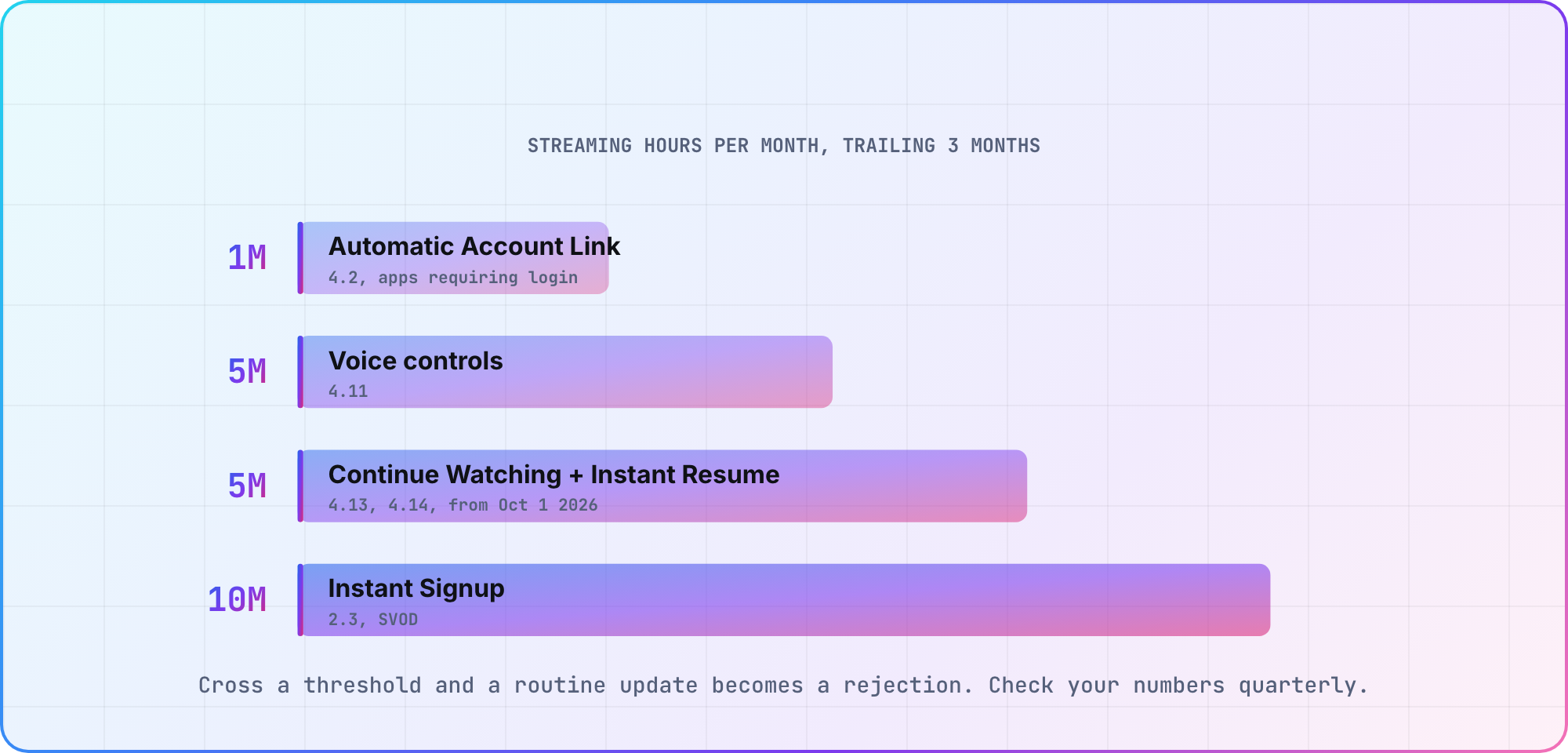
Note the two dated ones. Continue Watching and Instant Resume both take effect on October 1, 2026, and Continue Watching has a lower bar internationally (1 million hours a month) than in the US. If your app is anywhere near those numbers, that work is due now.
Check your own figures against this table once a quarter. Crossing a threshold quietly and then submitting a routine update is how a two-day release becomes a two-sprint project.
What the criteria don't say
I want to be careful here, because this article previously repeated several "common rejection reasons" that circulate widely and aren't actually in Roku's criteria. I went looking for each of them in the criteria, and they aren't there.
- There is no contrast-ratio requirement. Text contrast ratios aren't mentioned in the certification criteria. Designing readable 10-foot UI is still the right thing to do, and low-contrast text will earn you bad reviews, but it isn't a documented cert gate.
- There is no minimum number of titles. A minimum content title count isn't mentioned in the criteria. You will read "you need at least five titles" in a lot of places. Not from Roku, you won't.
- Screen readers aren't mentioned. Criterion 4.8 covers captions, audio description and applicable accessibility law. It doesn't specify screen reader support.
- Roku doesn't publish review timelines. You will see confident claims that first review takes 24 to 48 hours. Roku's certification overview describes the preparation you're expected to do and states no turnaround time at all. Plan with slack, and treat any specific number you read (including ones I've quoted in the past) as somebody's anecdote rather than a commitment.
Being straight about the boundary between "documented requirement" and "widely repeated advice" is the whole point. One of those gets your app rejected. The other is just opinion, mine included.
The pre-submit pass
Do this in one sitting, on a Roku Express, on a throttled network:
- Run the Static Analysis tool. Clean?
- Run the App Behavior Analysis tool against the performance and deep-linking criteria.
- Cold launch, timing to a fully rendered home screen. Under 15 seconds?
- Navigate the grid. Does every press acknowledge inside 250 ms?
- Play something. First frame inside 8 seconds?
- Pull the network mid-playback. Error message, or black screen?
- Deep link via ECP to three different content items. All correct?
- Open the Options menu in the player. Are all four caption settings there (On, Off, On instant replay, On mute)?
- Press Back from every screen. Always somewhere sensible, and out from the top?
- Check the package size. Under 4 MB?
- Open every store asset and check dimensions and transparency.
- Leave it idle. Does the system screensaver come up?
- Check your streaming hours against the threshold table.
Roku is unusual among TV platforms in telling you exactly what it's going to measure and then handing you the tools to measure it yourself, so run them before you submit rather than after you're rejected.
Frequently asked
What is the Roku app size limit? 4 MB for the package, per criterion 3.7. Artwork, fonts and streams come off the network at runtime rather than shipping inside the package.
How fast does a Roku app have to launch? The home screen must be fully rendered within 15 seconds (3.2), playback must begin within 8 seconds (3.6), scene transitions within 3 seconds (3.3), and remote button responses within 250 milliseconds (3.5).
How long does Roku certification take? Roku doesn't publish a review timeline. Its certification overview covers the preparation expected of developers and states no turnaround time, so plan with slack rather than around a number you read somewhere.
Does a Roku channel need a minimum number of titles? Not according to the certification criteria, which don't mention a minimum title count. Widely repeated, not documented.
What is Instant Resume and do I need it? Criterion 4.14. From October 1, 2026, it's required for US apps averaging more than 5 million streaming hours a month over the trailing three months.
What caption settings does Roku require? Per 4.8, your app must follow the user's global closed captioning settings and support On, Off, On instant replay, and On mute in the Options menu.
Sources
- Roku, certification criteria for every criterion number and threshold quoted here
- Roku, certification overview
- Roku, pre-certification tests and analysis tooling
- Roku, External Control Protocol for deep-link testing
Last verified: August 2026, against Roku's published certification criteria. Roku revises these on a seasonal cadence, so open the criteria before a submission rather than trusting this table.
Related: Connected TV release-readiness checklist for the cross-platform version, How to test a Roku app without a physical device, and The TV app deployment workflow.
Keep reading
CTV Video-Start Benchmarks: Targets and Test Method
Define tap-to-first-frame consistently, segment TV devices into cohorts and publish median/p95 video-start results without inventing cross-platform averages.
Android TV Emulator Setup and Troubleshooting
Set up an Android TV emulator in Android Studio, choose a compatible system image and diagnose launch or acceleration problems before testing on a real TV.